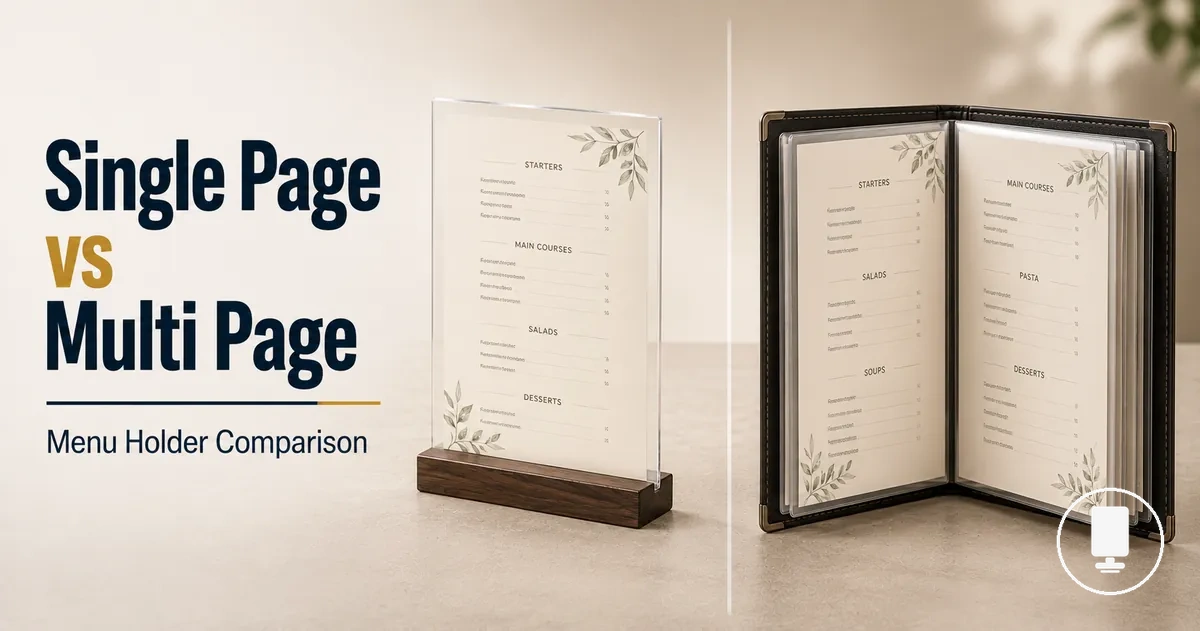
Single Page vs Multi Page Menu Holders
The choice between single page and multi page menu holders depends on menu length, viewing behavior, table space, and update frequency. Neither format is universally better; the useful choice is the format that matches page capacity, readability, and menu presentation needs.
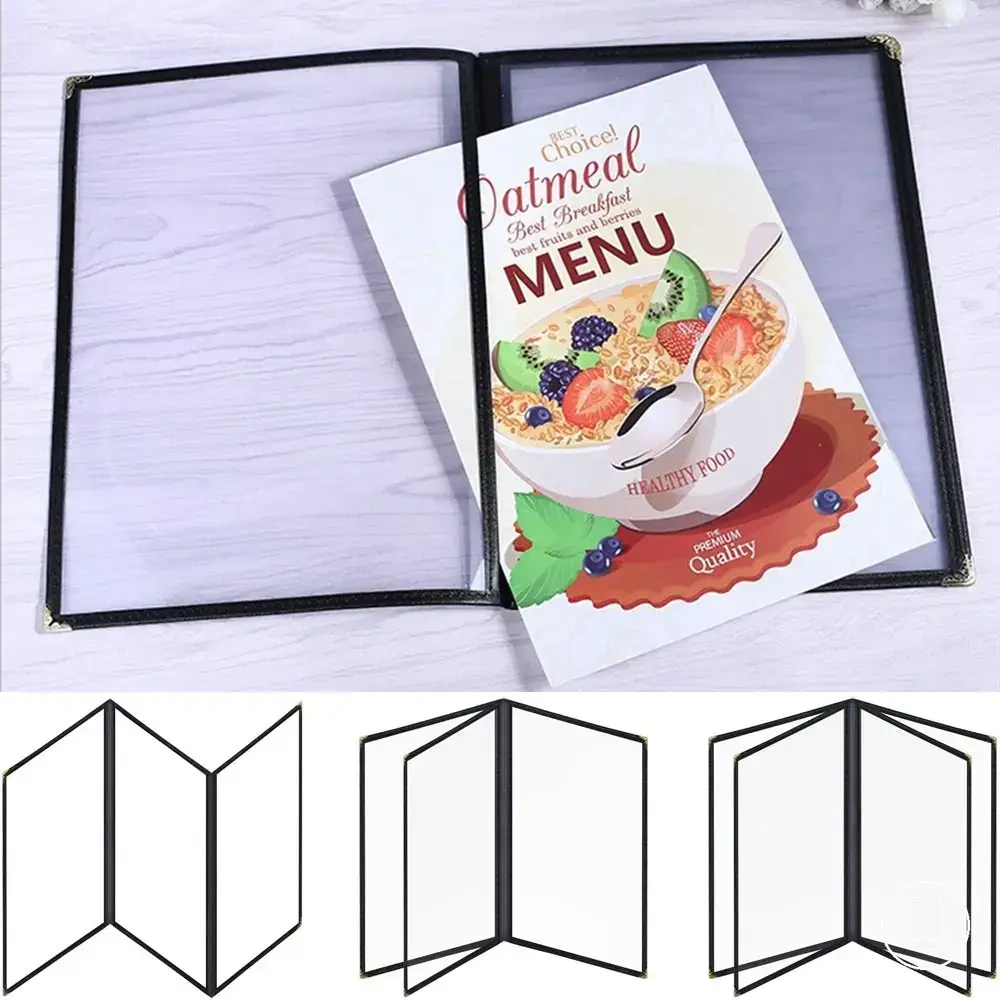
A single page menu holder usually presents one concise menu sheet for quick scanning, while a multi page menu holder uses inserts, a menu cover, or a booklet format to hold more menu categories. For broader context on formats, sizes, and selection factors, see the menu holders guide.
For a short drinks menu, specials list, or table card, visible menu space and a smaller table footprint may matter more than extra page capacity. For a longer food menu, more inserts can support category separation, but browsing effort and customer handling may increase depending on the holder format and restaurant table setup.
A double sided holder can show two views on a single sheet, while a booklet format can create a different page-turning experience. That boundary matters because double-sided display, menu cover design, and true multi page structure should be classified carefully before choosing the final menu holder format.
How Single Page and Multi Page Menu Holders Differ
Single page menu holders and multi page menu holders differ primarily in how they present menu content and manage page capacity. A single page menu holder focuses on one visible menu area, while a multi page menu holder expands capacity through additional pages or inserts. The key difference is visible space versus expandable capacity.
Single page menu holder formats display content on a single-sheet format, giving customers one main viewing surface at a time. Multi page menu holder formats increase page capacity by using inserts or multiple pages that can be turned or accessed within a menu cover. This changes both insert access and customer handling because the visible menu area remains fixed while additional content is distributed across multiple pages. As a result, menu display structure can influence readability and presentation outcome.
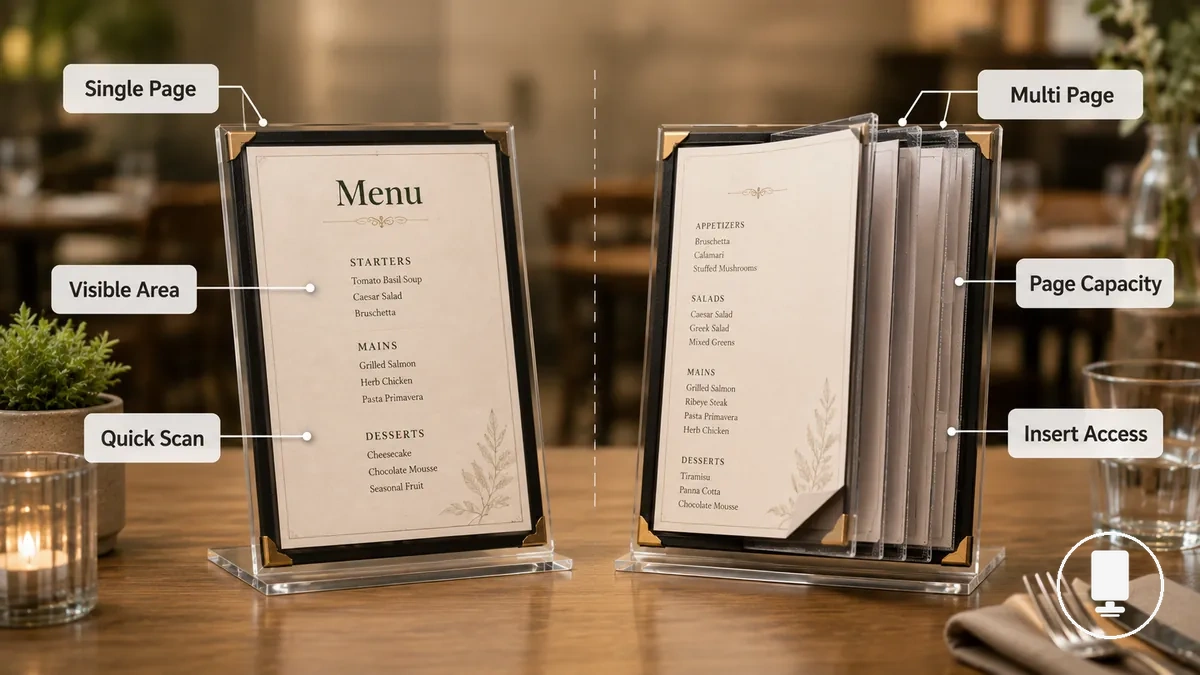
When comparing physical page count with scanning comfort, the difference is not only how many menu items are available but also how those items appear on the viewing surface. For broader coverage of related designs, see other menu holder formats.
Core Format Comparison
| Format | Visible menu area | Insert or page handling | Best-fit condition |
|---|---|---|---|
| Single page holder | One visible menu area on a single sheet | Limited insert access with no page turning | When a quick scan of menu content is preferred |
| Multi page holder | One viewing surface at a time with additional content across pages or inserts | Expandable capacity through inserts or page turning | When additional menu categories require more page capacity |
Page Views, Inserts, and Visible Menu Capacity
Page view refers to the amount of menu content visible to a customer at one time, while visible menu capacity describes how much information can be seen without turning pages or accessing additional inserts. In menu holders, visible menu capacity and total insert capacity are related but not the same attribute.
Visible menu capacity is determined by the display side and page view, not by the total insert count alone. A menu holder may contain multiple menu holder inserts inside a sleeve or cover format while showing only a limited visible view at any given moment. This means total capacity can exceed immediate visibility. Customer scanning outcomes may vary because additional content often requires page turning or insert access before it becomes visible, and update effort can vary depending on the insert arrangement.
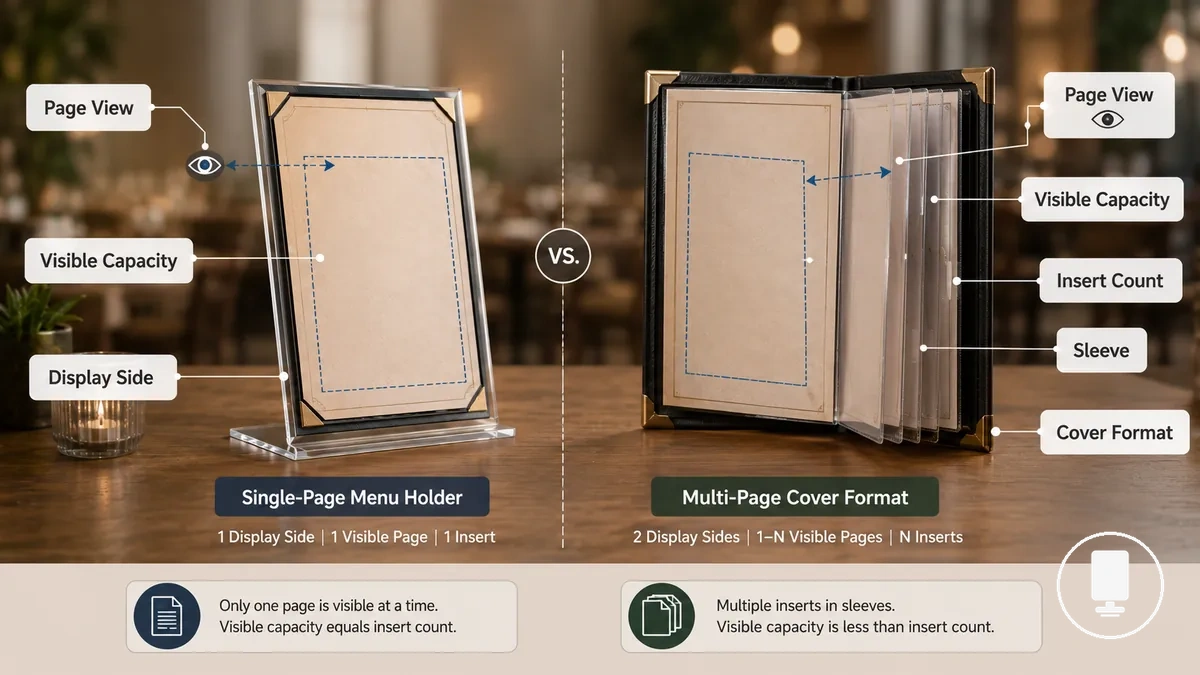
A single sheet menu used for a concise drink menu can place most visible information within one page view, which may support faster customer scanning when the layout is clear. A multi-page food menu can provide greater insert count and more menu categories, but visible menu capacity remains limited to the current page view. For additional detail on configuration options, see page formats and inserts.
| Entity or part | Attribute | Value or condition | Effect on choice |
|---|---|---|---|
| Display side | Visible information | Single or multiple visible views | Influences how much content can be scanned at once |
| Insert sleeve | Insert count | Can hold additional menu inserts | Affects total capacity beyond immediate visibility |
| Cover format | Content organization | Uses pages or sleeves to separate information | May affect update effort and category grouping depending on layout |
| Page view | Visible menu capacity | Limited to currently displayed content | Shapes customer scanning and content access |
Single view and two view formats
Single view and two view formats refer to the number of visible faces presented within a menu holder. A single view shows one visible face at a time, while a two view format displays two visible faces through a double-sided or back-to-back arrangement. These visible sides influence the reading path and customer scanning flow without changing the underlying page structure.
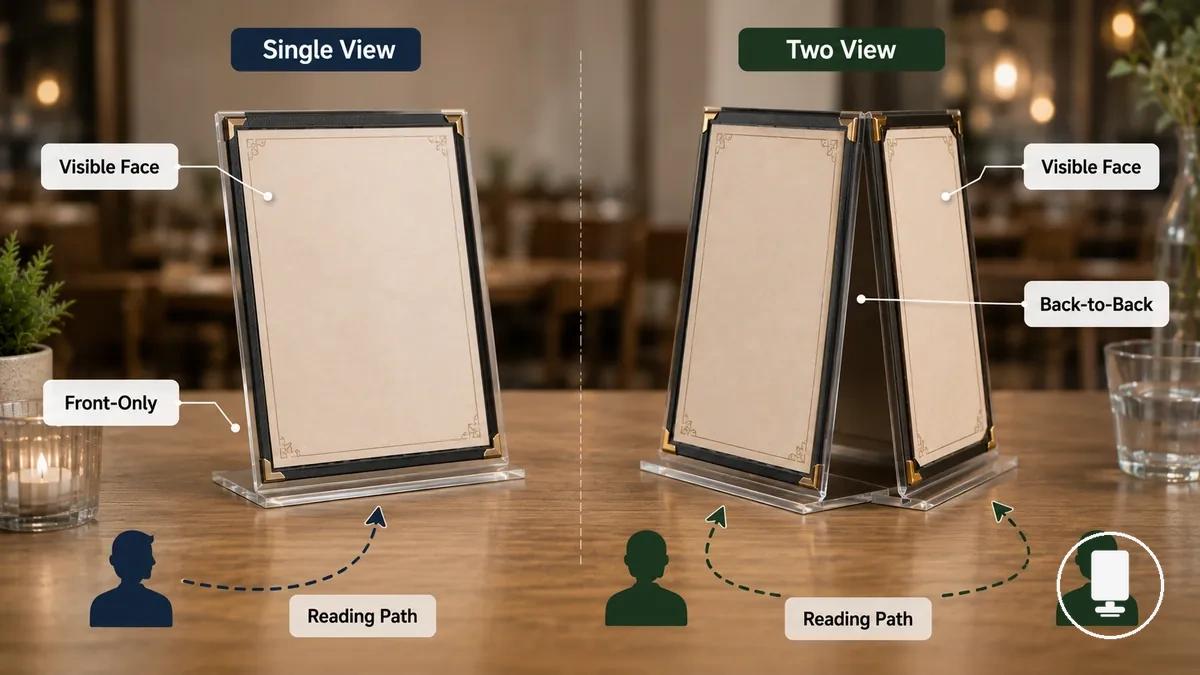
- Front-only: One visible face presents content from a single viewing direction and may support a more direct reading path.
- Back-to-back: Two visible faces display content on opposite sides, which can provide additional viewing space when both sides are accessed.
- Double-sided: A double-sided format can offer two views while still using a single-sheet format.
- Capacity boundary: Two-sided visibility is a viewing attribute, while multi-page capacity is a page-structure attribute, so two view formats do not necessarily increase page capacity.
Multi page covers and add-a-page inserts
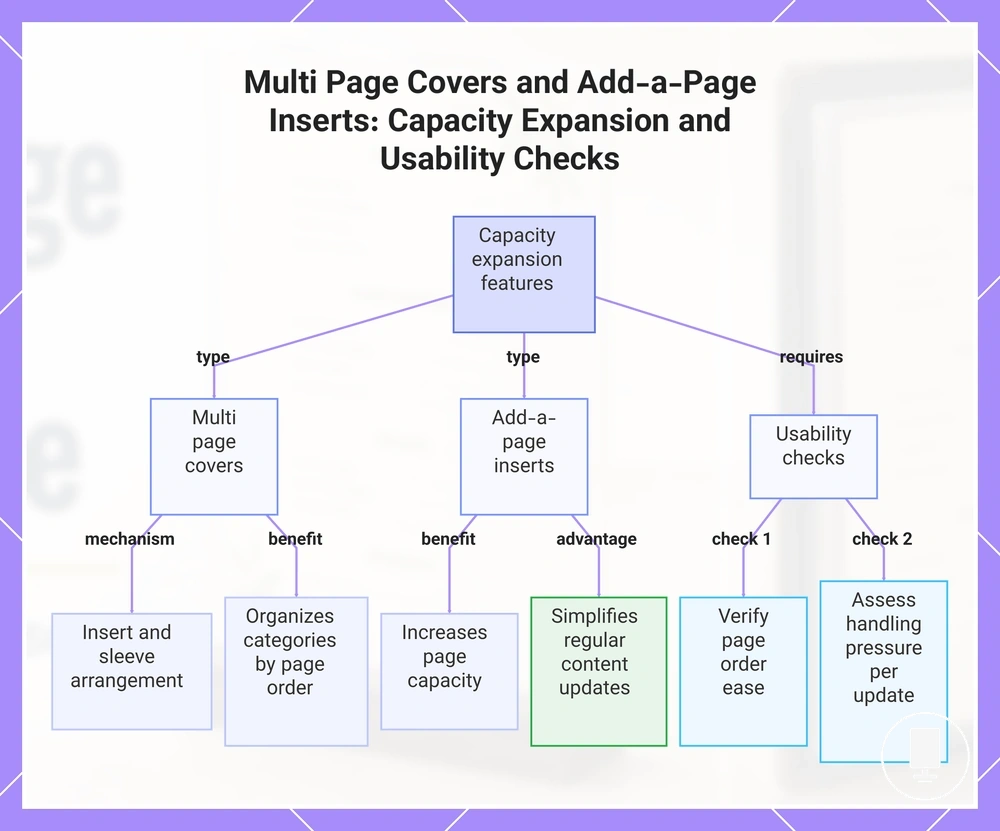
Multi page cover formats and add-a-page inserts are capacity-expansion features that allow additional menu content to be organized within the same holder. A multi page cover uses an insert mechanism and sleeve arrangement to accommodate more pages, while add-a-page inserts can increase page capacity when the holder supports them. This structure helps organize menu categories through page order rather than placing all content within a limited number of display surfaces.
When menu content changes regularly, add-a-page inserts may simplify updates because individual inserts can be adjusted without reorganizing the entire holder. Extra pages can improve capacity when page order remains clear and customer browsing stays manageable, but additional handling pressure and more page turning may create browsing friction if readability becomes harder to maintain. Extra capacity helps only when the menu remains easy to browse.
- Verify page order remains easy to follow across menu categories.
- Check whether insert replacement can be completed without disrupting content organization.
- Confirm category separation supports readability rather than increasing browsing effort.
- Consider whether handling pressure on each sleeve remains practical for the intended update frequency.
This chart explains how multi page covers and add-a-page inserts expand menu capacity, their benefits, and the key usability checks to ensure effective use.
Readability, Table Space, and Menu Handling Tradeoffs
Readability depends on both menu format and service context. Single page and multi page menu holders create different tradeoffs for reading comfort, table space, and menu handling, while outcomes may vary with print size, lighting, table size, and customer expectations.
On small tables or in cafés with limited table area, a compact table footprint may be a priority, especially when the menu is concise. In slower dining environments, a larger menu structure may support category separation and browsing, but page turning can increase handling effort. Readability can improve with larger print size and clearer layout, yet the preferred format still depends on lighting conditions, holder stability, and service context.
When menu density increases, the decision often becomes a balance between presentation space and browsing time. The comparison below highlights how readability, table space, menu handling, and customer dwell time can influence format choice under different conditions.
| Tradeoff | Single page effect | Multi page effect | Decision cue |
|---|---|---|---|
| Readability | May allow quicker scanning when content remains clear and print size is sufficient | May separate content across pages, which can support navigation for longer menus | Depends on menu density, print size, and lighting |
| Table space | Often uses a smaller table footprint | May require more presentation space depending on format | Consider available table area and service setup |
| Menu handling | Usually involves less page turning | May require additional handling as customers move between pages | Consider handling effort and holder stability |
| Browsing time | May support shorter customer dwell time for concise menus | May encourage longer browsing when more categories are presented | Match the format to menu length and service context |
After evaluating readability and handling tradeoffs, it can help to use menu holders clearly so the chosen format supports the intended customer experience without adding unnecessary browsing friction.
When Single Page Menu Holders Are the Better Fit
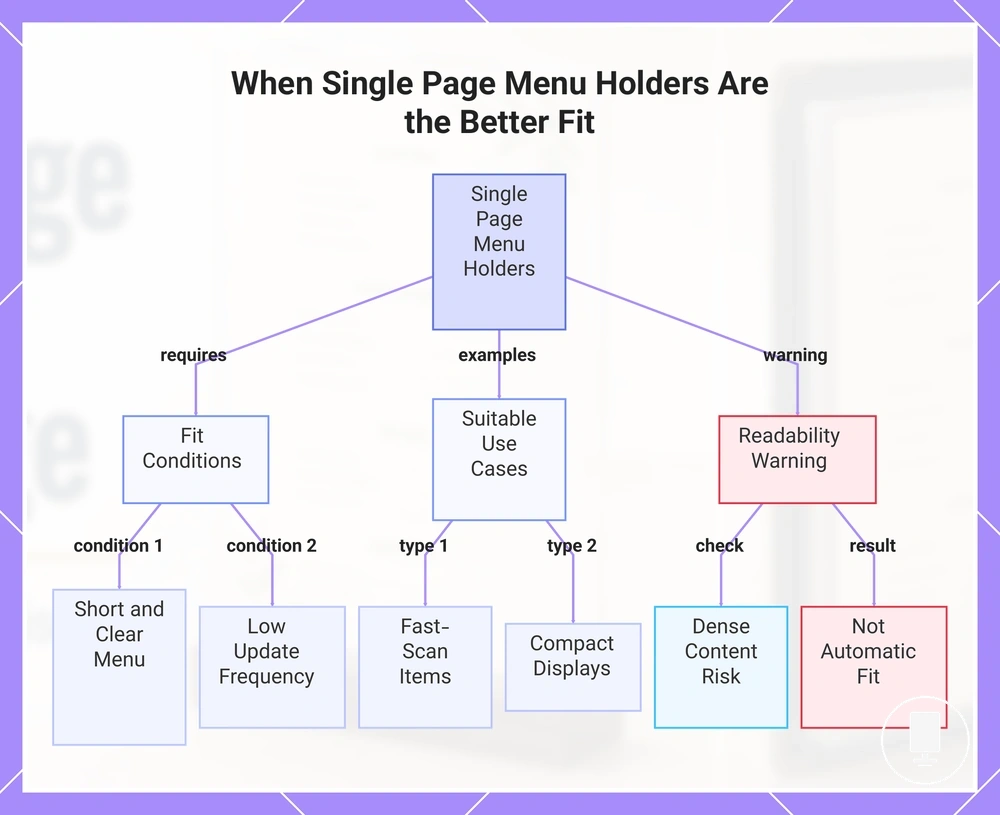
Single page menu holder formats usually fit situations where a concise menu, fast scanning, and straightforward presentation are the primary goals. They are often suitable when visible information needs to be accessed quickly without page turning and when customer decision speed is an important consideration.
- Choose a single page menu holder when the menu length is short and the content can be presented clearly on one view.
- Consider it when update frequency is low or when simple replacement of a single sheet supports the display purpose.
- It may suit smaller tables where a reduced table footprint helps preserve available table space.
- It can work well for specials, a drinks menu, a dessert menu, a table card, or a limited menu when customers benefit from fast scanning.
- Customer decision speed may improve when key information remains visible without additional insert access.
- Review readability carefully if a concise menu still contains dense content or smaller print.
In settings where customers make selections quickly, a single-sheet holder can support a quick menu display by keeping visible information in one place. A drinks menu or dessert menu may fit this format when the content remains easy to scan and does not require multiple category layers. A table card or limited menu can also benefit when the display purpose is focused on a small set of choices rather than extensive browsing.
A single page menu holder is not automatically suitable for every short menu. If menu density increases or readability becomes difficult, the preferred format may depend more on content organization than on page count alone.
This chart identifies the main fit conditions, example use cases, and a key readability warning for single page menu holders.
When Multi Page Menu Holders Are the Better Fit
Multi page menu holder formats usually fit situations where menu length, category separation, and organized browsing are important. They are often suitable when a menu contains enough content to benefit from multiple sections while still preserving readability across the booklet format.
- Choose a multi page menu holder when menu length makes category grouping easier to follow across separate sections.
- Consider it when category separation helps customers navigate menu complexity without crowding visible information.
- It may suit menus with regular insert replacement needs when content updates follow a consistent update rhythm.
- It can support longer browsing time when the service style encourages customers to review multiple menu categories before deciding.
- A booklet format or menu cover with pages may contribute to a premium presentation when readability and handling remain comfortable.
- Review available table space to ensure additional pages do not reduce browsing convenience.
In service settings where customers spend more time reviewing options, a multi page menu holder can help organize content through category separation rather than concentrating information into a single view. Longer menus may benefit when menu sections are easier to follow and browsing time aligns with the service style. Premium presentation can also be a consideration when the format supports clear organization and comfortable reading.
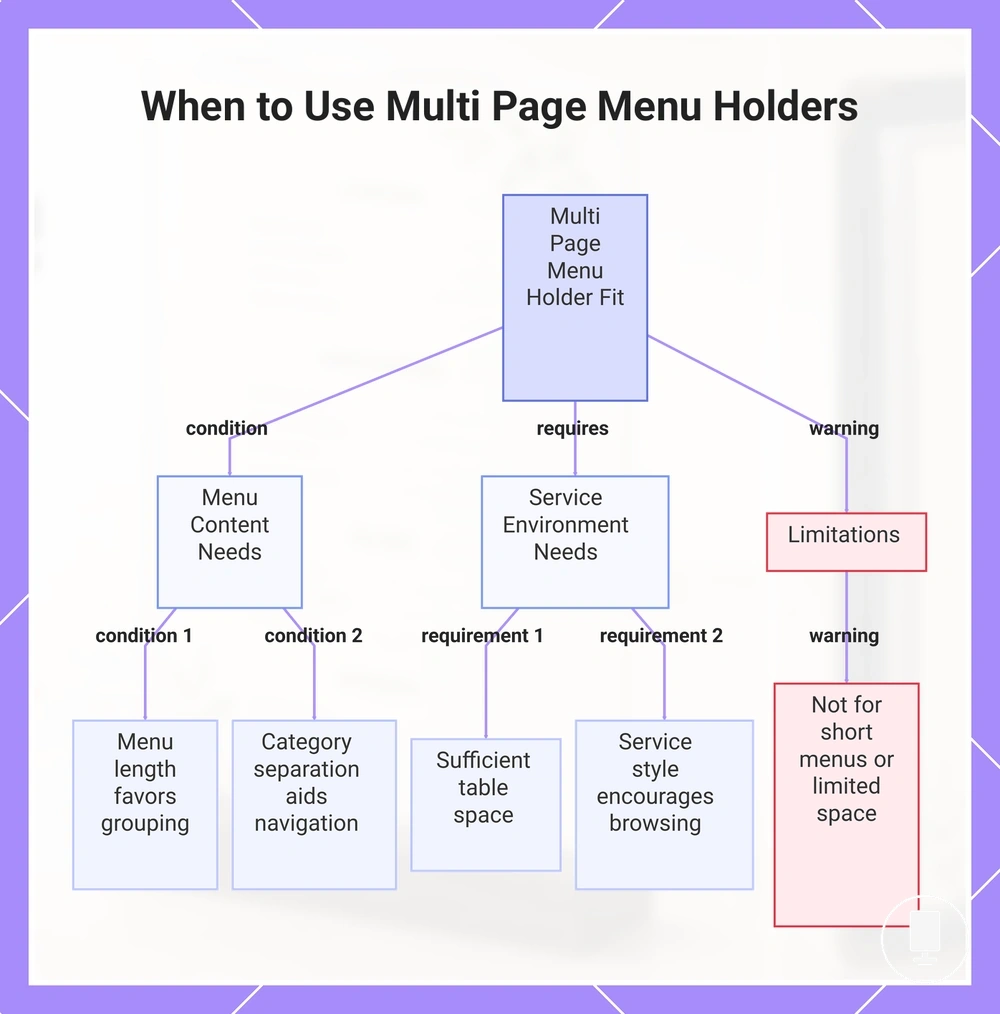
Extra pages are not automatically beneficial in every situation. If a menu is short or table space is limited, a multi-page cover may add handling effort without improving clarity, so suitability still depends on readability and the purpose of the menu.
This chart illustrates the key conditions, requirements, and limitations that determine when a multi page menu holder is a better fit.
Double Sided Holders, Booklet Covers, and Multi View Boundaries
Double sided holder, booklet cover, and multi view formats are often confused because they increase menu visibility and capacity in different ways. The key format boundary is that a double sided holder can show two views without becoming a multi page booklet, while booklet covers and multi page holders add capacity through additional pages or inserts.
| Format | What changes | What does not change | Best use case |
|---|---|---|---|
| Double sided holder | Viewing sides increase from one visible face to two views | Page count may remain a single sheet | When more visible information is needed without adding a page-turning requirement |
| Booklet cover | Page-turning requirement and insert structure expand content organization | Only part of the menu is visible at one time | When menu browsing benefits from grouped categories and structured navigation |
| Multi page holder | Page capacity increases through multiple pages or inserts | Viewing sides alone do not determine the format | When menu length requires additional capacity while maintaining readability |
A double sided holder is defined by its viewing sides, while a booklet cover is defined by page turning and insert structure. A multi view display can increase visible content through display sides, but that change alone does not create true multi page capacity. The menu browsing effect depends on whether customers access additional sides or move through additional pages. For broader classification context, see menu holder formats. This format boundary helps prevent confusion without expanding into other holder categories.
Choosing the Right Page Capacity for the Menu
Page capacity should follow menu content and service conditions rather than a fixed page-count rule. The right menu holder capacity depends on how much information needs to be displayed, how customers browse the menu, and how often content changes.
| Condition | Capacity signal | Better format direction | Reason |
|---|---|---|---|
| Short menu | Limited menu content | Single page direction | Allows key information to remain visible with minimal handling |
| Two-view menu | Need for additional visible content without extra pages | Double sided direction | Expands viewing space while keeping page count low |
| Longer categorized menu | More sections and category separation | Multi page direction | Provides additional page capacity for organized browsing |
| Frequent updates | Regular menu changes | Multi page direction | May support insert flexibility and update rhythm requirements |
| Limited table space | Restricted presentation area | Single page direction | Often reduces table space demands and handling effort |
When page capacity does not match menu content, readability and customer handling may become less effective. Capacity requirement, insert flexibility, table space, browsing time, and update rhythm should be evaluated together because no single factor determines the format direction. A menu with frequent changes may benefit from greater insert flexibility, while a concise menu may not require additional page capacity.
A short drinks menu may align with a single page direction when most information can remain visible at once. A menu that needs two visible views without additional page turning may align with a double sided direction. A longer menu with multiple categories may fit a multi page direction when browsing time and service conditions support a larger format. To evaluate related criteria in more detail, you can choose menu holders using the broader selection framework.
As a practical decision cue, match page capacity to menu complexity rather than page count alone. A limited menu and restricted table space may point toward a single page direction, while a menu requiring additional visibility may point toward a double sided direction. When category separation, update rhythm, and menu length increase together, a multi page direction may be the more suitable capacity choice. The final format direction depends on menu content, service conditions, and how customers are expected to browse the menu.
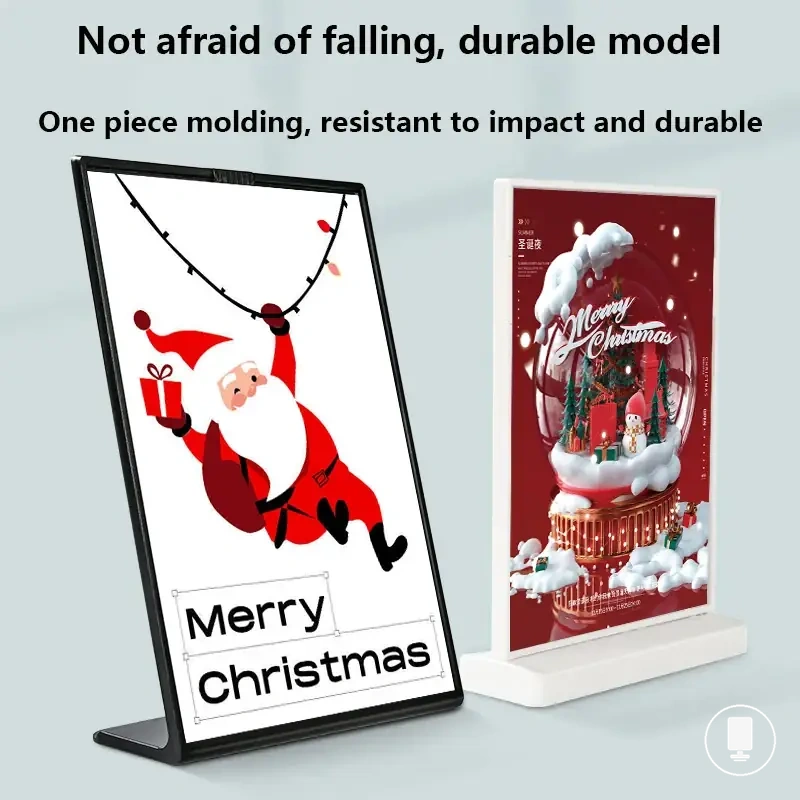
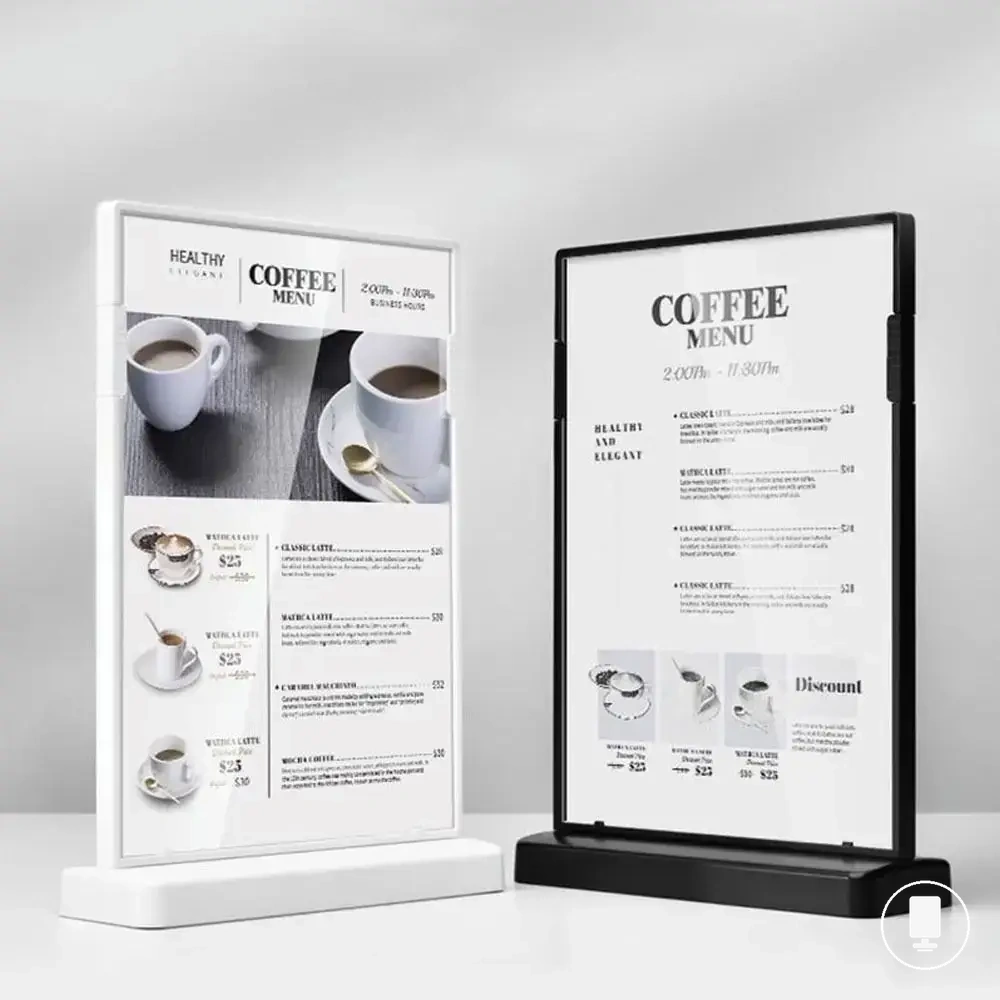
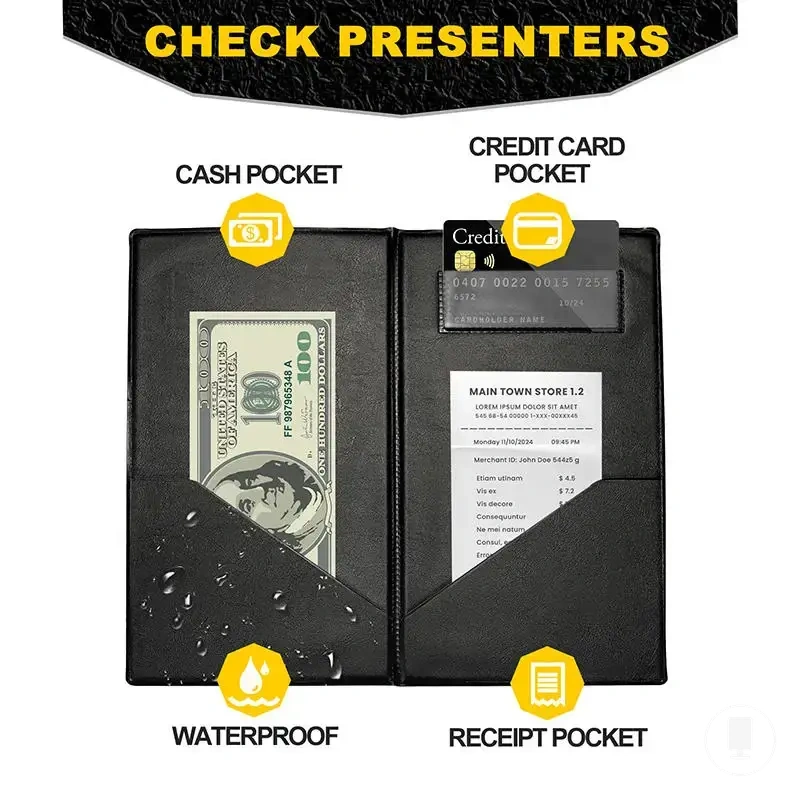
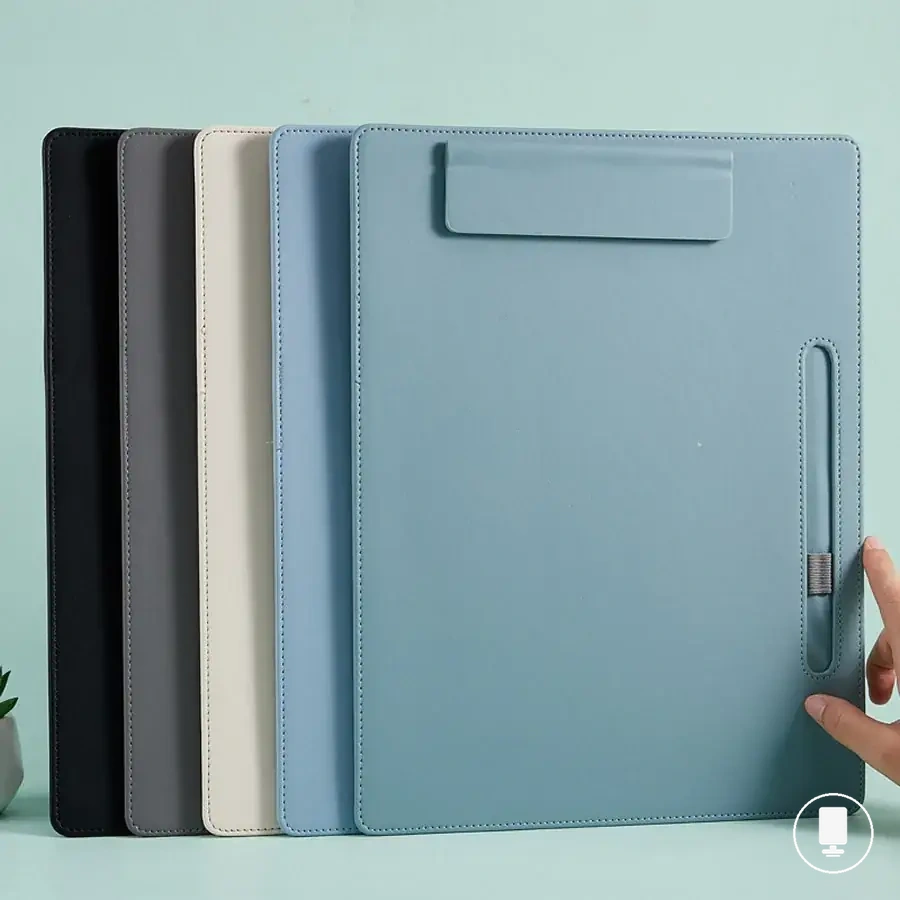
Here are product examples that may make comparison easier. Before buying, always review the compatibility criteria, essential features, and product details.
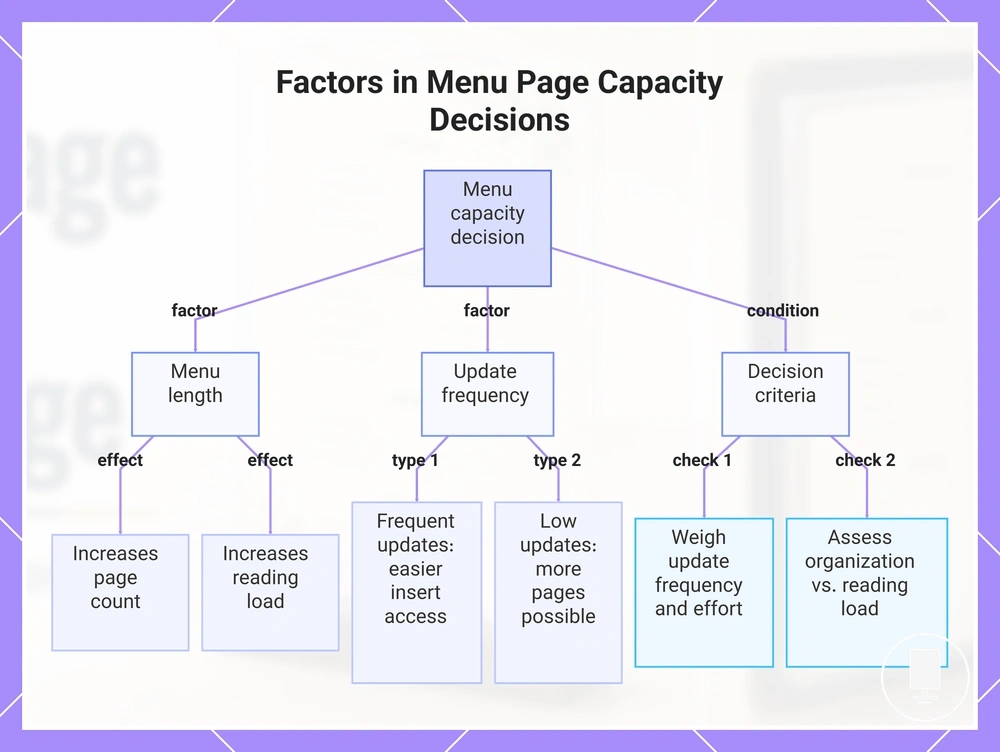
Menu length and update frequency
Menu length and update frequency directly influence page capacity decisions. As menu length increases, page count and customer reading load may increase, while update frequency can affect how much insert replacement effort is practical for the chosen menu holder capacity.
- Seasonal menus: When menu content changes periodically, insert replacement effort may become a more important capacity consideration than adding maximum page count.
- Daily specials: Frequent updates may favor easier insert access when holder design supports regular menu changes.
- Fixed menus: Stable content may support greater multi page capacity when update frequency remains low.
- Separate drink lists: A concise holder or separate viewing area may help manage customer reading load without increasing the main menu page count.
For example, a menu with daily specials may benefit more from convenient insert access than from additional page count. The capacity decision depends on update frequency, insert replacement effort, and whether extra pages improve organization without creating unnecessary customer reading load.
This chart shows how menu length and update frequency influence page capacity decisions, with scenario examples and key decision criteria.
Service style and customer browsing time
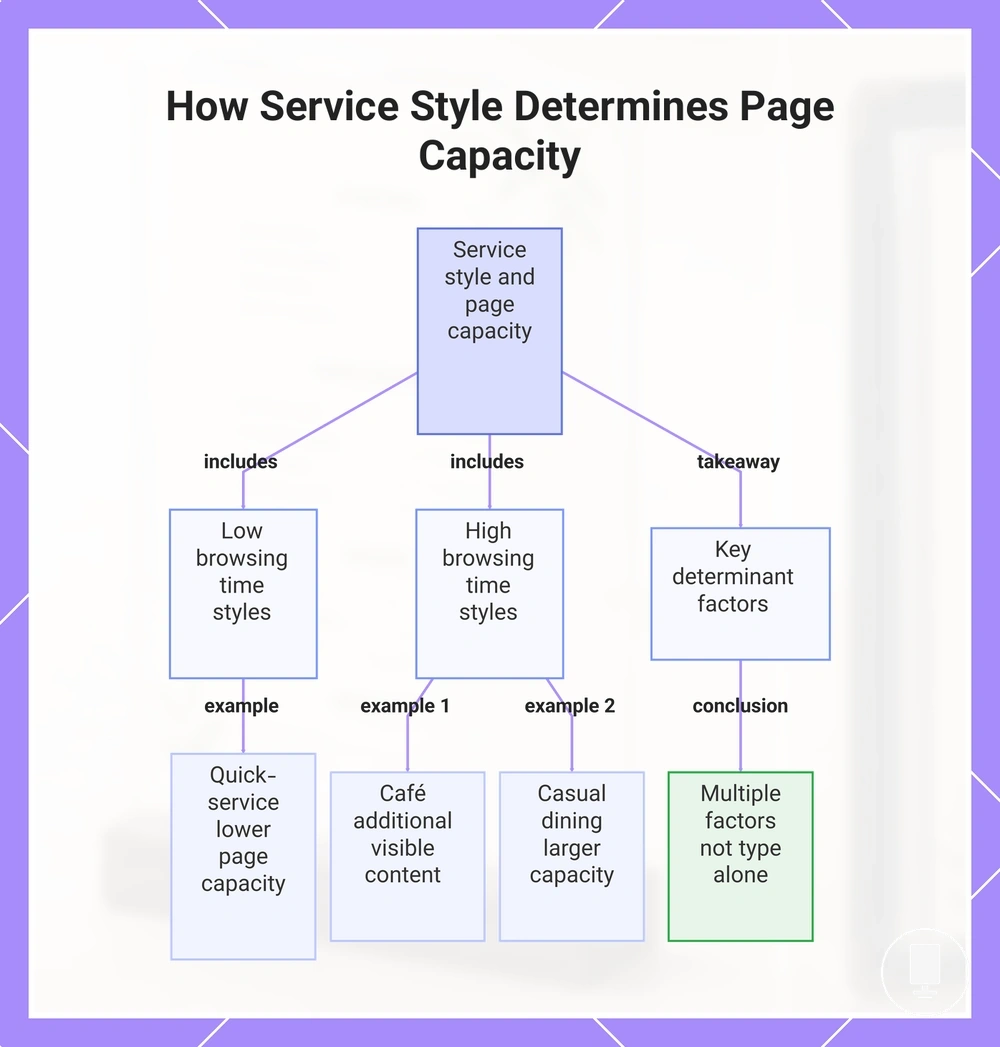
Service style affects customer browsing time, and page capacity should align with that browsing behavior. Customer browsing time may vary with menu complexity, table pressure, and staff interaction, so page capacity depends on the service model rather than a single format choice.
- Quick-service: Higher table pressure and fast scanning may support lower page capacity when menu complexity remains limited.
- Café: Customer browsing time may increase when menu complexity and customer choice expand, which can justify additional visible content.
- Casual dining: Greater menu complexity may support additional page capacity when customers are likely to compare multiple menu categories.
- Longer-form restaurant setting: More browsing time and staff interaction may make larger page capacity suitable when menu organization benefits from additional sections.
For example, a quick-service setting with a concise menu may benefit from faster access to visible information, while a longer-form restaurant setting may support additional page capacity when customers spend more time reviewing options. Format suitability depends on customer browsing time, menu complexity, table pressure, and service style rather than restaurant type alone.
This chart shows how service style affects customer browsing time and the resulting page capacity decisions, grouped by browsing time intensity and key determining factors.