Menu Holder Types for Format-Based Selection
Menu holder types are display formats that determine how a printed menu is shown, accessed, handled, and protected. This page helps compare restaurant menu holders by type-based selection rather than by individual product examples.
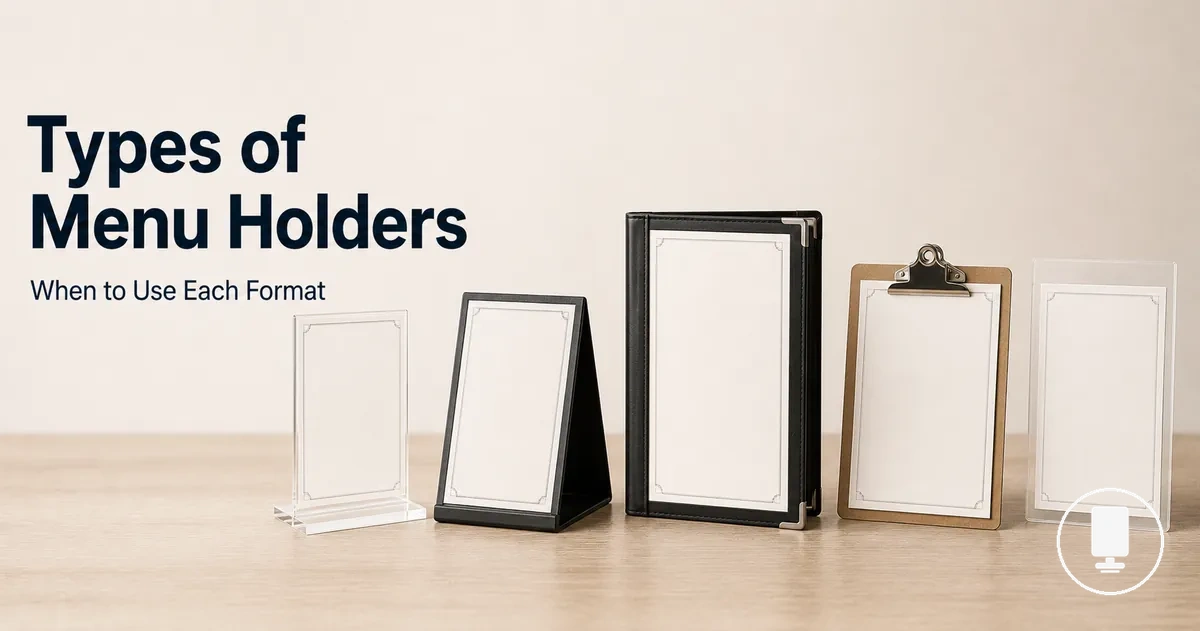
The main holder formats include a table menu holder, freestanding menu holder, clip menu holder, insert menu holder, menu cover holder, and double-sided menu holder. Each format may fit a different restaurant use condition depending on where the menu is displayed and how often the printed menu changes.
Menu holder type selection depends on display position, insert access, handling level, and visibility. A tabletop display may need a compact footprint and readable angle, while a counter display may need height, stability, and customer viewing from one direction.
The comparison below summarizes holder formats as selection criteria, not as a shopping list. Use it to identify the likely display format before checking material, size, placement, or other fit factors in later sections.
| Type | Display context | Main advantage | Limitation | Best-fit use |
|---|---|---|---|---|
| Table menu holder | Tabletop display for seated service | Supports close customer viewing | May compete with table space | Menus, specials, or cards viewed at the table |
| Freestanding menu holder | Counter, host stand, or self-service point | Can raise menu visibility at flexible display points | Stability depends on base design and surface use | Menus that need a movable display stand |
| Clip menu holder | Temporary or changeable menu card display | Allows faster insert access for frequent changes | Usually offers less enclosure than sleeve or cover formats | Daily specials or lightweight printed cards |
| Insert menu holder | Single-sheet printed menu display | Can protect the visible sheet while keeping it readable | Fit depends on insert opening, page size, and orientation | Printed menus that need clear display and replacement ease |
| Menu cover holder | Formal or multi-view presentation | Supports longer menus and customer handling | May require more table footprint than a simple insert holder | Formal menus or menus with more page depth |
| Double-sided menu holder | Two-view display from opposite sides | Improves viewing direction for shared table orientation | May not suit longer menus that need multiple pages | Same content or different content shown on two sides |
What Counts as a Menu Holder Type
A menu holder type is a display format category that defines how a menu or card is presented, accessed, and positioned for viewing. The defining characteristic is the holder format rather than the menu content. A menu holder type refers to format differences, not to material, brand, or merchant-specific offers.
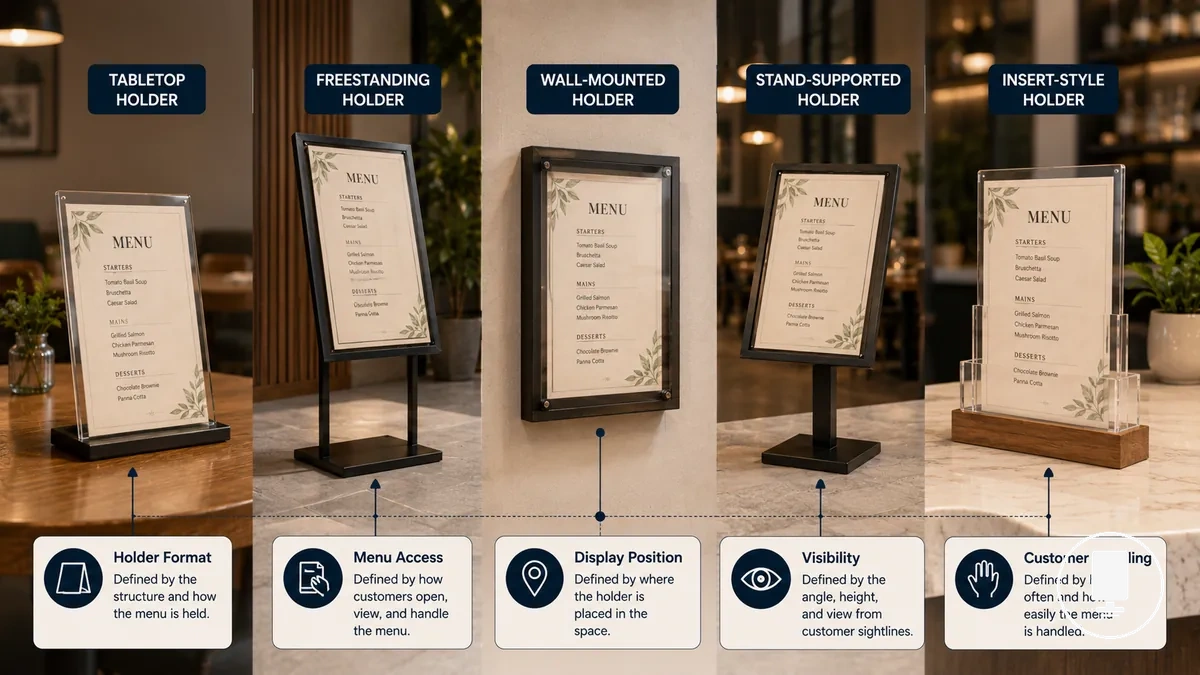
Physical format, menu access, and display position separate one holder format from another. Within the broader context of menu holders, a menu holder type is identified by how a printed menu is inserted, displayed, handled, and viewed under a particular use condition.
The image below clarifies what counts as a menu holder type by separating different holder formats according to their visible characteristics. It highlights format distinctions rather than branding, pricing, or product-line differences.
The following attributes help distinguish one menu holder type from another:
- Physical format: The holder style may be freestanding, tabletop, wall-mounted, or supported by a stand.
- Menu access: Insert access can vary based on how a printed menu is added, removed, or updated.
- Display position: A holder format may suit a table, counter, wall, or stand depending on visibility and use condition.
- Customer handling: Different holder formats may support different levels of interaction and movement during use.
- Visibility and protection: The holder format can influence how clearly a menu is viewed and how much protection the printed menu receives.
Menu Holder Types Versus Restaurant Menu Types
Menu holder types and restaurant menu types describe different things. Menu holder types refer to the holder format used for physical display, while restaurant menu types refer to the printed menu format, menu layout, or content structure. The boundary is between the physical display format and the menu content itself.
The image below compares Menu Holder Types Versus Restaurant Menu Types by separating the object that holds the menu from the menu content being presented. It highlights the distinction between holder format and printed menu format.
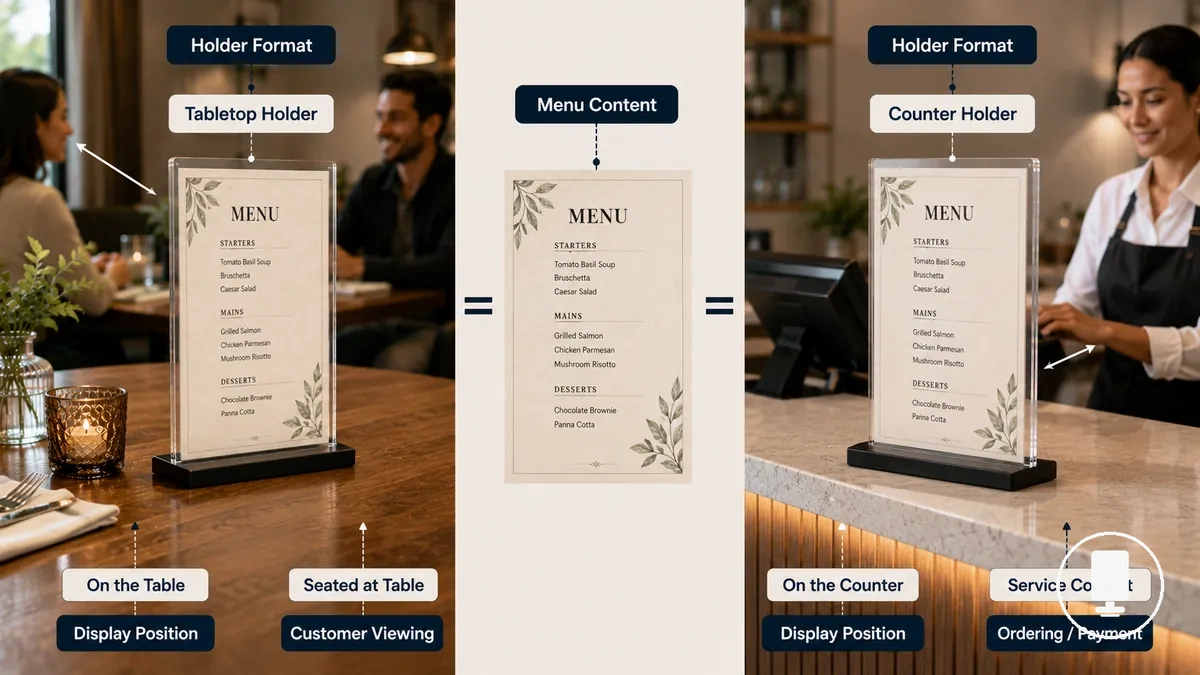
The comparison table separates the physical display object from the menu content so that similar terms are easier to distinguish.
| Menu Holder Type | Restaurant Menu Type |
|---|---|
| Physical display format | Printed menu format or menu content format |
| Focuses on customer viewing, customer interaction, and display position | Focuses on menu layout, content organization, and service context |
| Changes when the holder style or display method changes | Changes when the menu content format or layout changes |
| The printed menu can remain the same | The holder format can remain the same |
For example, the same printed menu can remain unchanged while moving from a table display to a counter display. In that scenario, the holder format changes, but the menu content can remain the same.
Table Menu Holders for Seated Menu Display
Table menu holders fit seated dining when a tabletop display needs to keep menu information visible within a single table area. A table menu holder can support menu access without requiring guests to move to another display location. This format is typically suitable when table service is part of the dining experience.
The image below demonstrates how Table Menu Holders for Seated Menu Display support menu visibility in a seated table setting. It highlights a readable viewing angle, a visible printed menu insert, and the relationship between base stability, footprint, and table space.
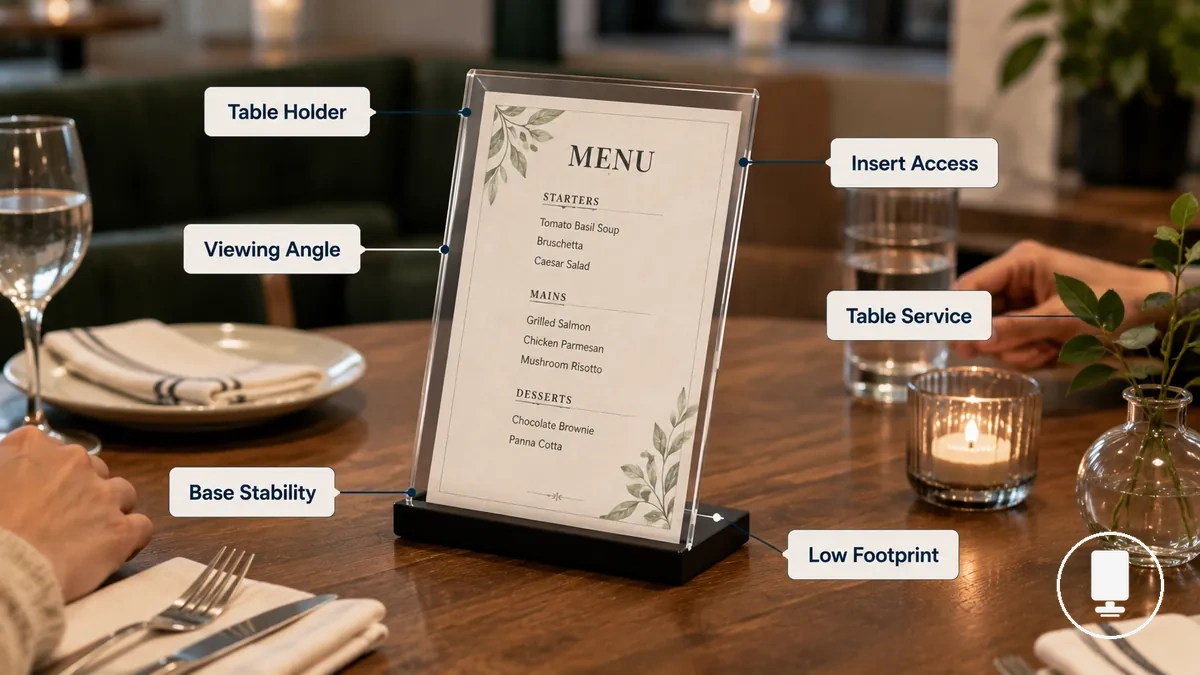
Table use changes holder requirements because the display shares space with dining activity. A table menu holder may be a better fit when base stability helps limit movement during customer handling, the footprint suits the available table size, and the viewing angle supports comfortable menu visibility from a seated position.
- Stable base suited to expected customer handling
- Low footprint appropriate for available table space
- Readable viewing angle for seated dining
- Easy insert access when printed cards change
- Clear single-table visibility for menu viewing
- Handling suitability for the service model in use
Insert access becomes more important when menu frequency changes are higher, such as rotating printed cards or tabletop specials. A tabletop menu stand with accessible inserts may simplify updates, while less frequent menu changes may allow a holder style that is opened less often.
For example, a table service setting that uses tabletop specials may benefit from quick insert access and stable customer handling. If broader display-location considerations are needed beyond seated table use, see where to place menu holders.
Freestanding Menu Holders for Flexible Display Points
Freestanding menu holders fit best when menu visibility is needed at a location that may change over time, such as a counter display, host stand, or self-service point. A freestanding menu holder can support customer viewing without relying on a fixed table position. This format is typically suitable when the display location benefits from portability and movement between display points.
Height, stability, and view direction are often the main selection criteria. A freestanding display stand may improve visibility at a counter display or host stand when the menu needs to be viewed from a standing position, while stability depends on base footprint and surrounding traffic conditions. Portability can be useful when menus or printed cards move between service areas, but suitability varies by display context and available space.
When the display-point challenge involves movement between counters, host stands, or self-service points, a freestanding menu holder may be easier to reposition than a table holder. A clip holder may suit more frequent printed-card changes, while a freestanding holder may be a better fit when display height, customer viewing direction, and location flexibility are higher priorities.
The comparison below highlights the main decision signal between these formats: whether the priority is movable display positioning, seated-table use, or frequent card changes.
| Format | Placement | Stability Consideration | Change Frequency Fit |
|---|---|---|---|
| Freestanding Menu Holder | Counter display, host stand, self-service point | Depends on base footprint and display conditions | Suitable when display-location flexibility is needed |
| Table Holder | Seated table area | Depends on table size and customer handling | Often suited to table-based menu display |
| Clip Holder | Temporary display locations | Depends on attachment method and use context | Often suited to more frequent printed-card changes |
For a broader display format comparison, compare holder formats based on display location, visibility requirements, and menu-update needs rather than treating one format as a universal choice.
Clip Menu Holders for Changeable Menu Cards
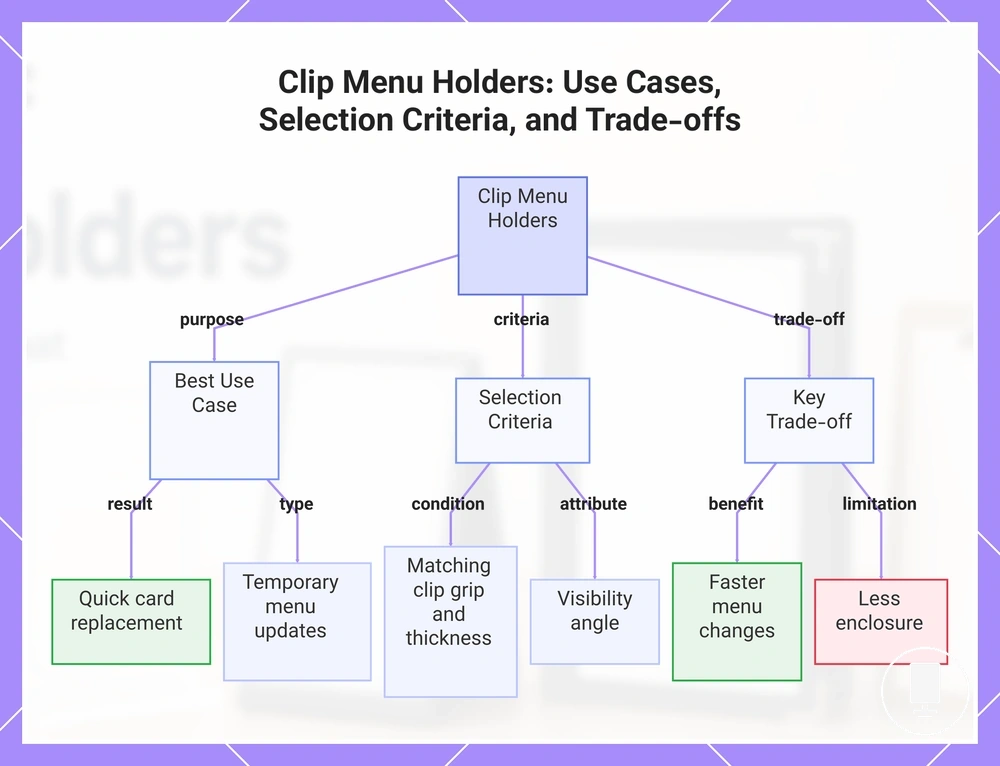
Clip menu holders fit best when a changeable menu card needs quick replacement and easy access. A clip menu holder can support temporary menu displays without requiring a fully enclosed format, making it suitable for daily specials, rotating offers, or other menus that change frequently. This format is typically chosen when change frequency is a higher priority than enclosure.
Clip grip, card thickness, and visibility angle are the main selection criteria. A clip menu holder may hold a lightweight card effectively when the clip grip matches the card thickness, but holding strength and handling risk can vary by clip design and use conditions. Visibility angle also affects how easily customers can read a temporary menu, especially when the display is viewed while standing or moving past the menu.
Clip formats trade enclosure for faster menu changes, so protection and access should be considered together.
- Speed: Changeable menu cards can often be replaced quickly.
- Flexibility: Suitable for daily specials and other temporary menu updates.
- Grip: Holding performance depends on clip grip and card thickness.
- Visibility: Readability can vary with the visibility angle and card position.
- Protection Limits: Clip-on holders may provide less enclosure than insert, sleeve, or cover-based formats.
For example, a restaurant that updates daily specials regularly may prioritize quick card replacement over stronger enclosure. In that situation, a menu card clip can simplify menu changes while accepting the protection trade-off that often comes with a more open display format.
This chart shows the main use cases, selection criteria, and trade-offs of clip menu holders for changeable menu cards, helping you decide when to use them and what to consider.
Insert and Sleeve Menu Holders for Protected Printed Menus
Insert and sleeve menu holders fit when a protected printed menu needs clear visibility and practical replacement access. An insert menu holder or sleeve menu holder can help separate the printed sheet from direct handling while keeping menu information visible. This format is typically suitable for a single-sheet menu that needs display clarity and controlled replacement access.
Sleeve access, sheet size, and surface protection influence selection because fit depends on how the printed page enters the holder and how the page is displayed. Insert opening design, page size fit, orientation, and surface protection can affect replacement ease and viewing quality, with protection depending on holder design and use conditions. A menu sleeve may be suitable when the printed sheet matches the holder format, while a clear insert holder may be easier to update when menu changes occur more frequently.
| Feature | Condition | Effect | Selection Note |
|---|---|---|---|
| Insert Opening | Opening matches sheet access needs | Affects replacement ease | Consider how often the menu changes |
| Page Size Fit | Printed sheet matches holder dimensions | Supports clear menu insert display | Fit depends on holder and sheet format |
| Orientation | Portrait or landscape layout | Influences menu presentation | Match orientation to the printed menu |
| Surface Protection | Printed sheet remains behind a clear layer | May reduce direct handling exposure | Protection depends on holder design and use conditions |
Sheet size and page format influence fit, but they do not alone define the holder type. Insert and sleeve menu holders remain display formats differentiated by access method, page presentation, and replacement ease. For additional criteria related to sizes and page formats, evaluate fit attributes separately from holder-type selection.
Menu Cover Holders for Formal or Multi-View Presentation
Menu cover holders fit best when menu selection depends on page depth, customer handling needs, and multi-view presentation. A menu cover holder can support longer menus by organizing content across multiple views while keeping pages together in a single format. This type is typically suitable when a formal menu presentation or multi-view presentation is preferred over a single visible sheet.
Page capacity and customer handling are often the main selection criteria. A menu cover holder may accommodate more menu content than a simple insert holder because information can be presented across multiple views or pages. Insert replacement, page arrangement, and customer handling can vary by cover format, so suitability depends on how often menu content changes and how customers are expected to browse the menu.
Menu protection, table footprint, and perceived formality can also influence selection. A menu cover holder may provide additional separation between printed pages and direct handling, although menu protection depends on the cover format and use conditions. Perceived formality can vary by presentation style, while table footprint may increase when a longer menu requires more viewing space.
The comparison below highlights the relationship between cover format and menu depth before choosing between a menu cover holder and a simpler insert holder.
| Format | Page Depth | Handling | Protection | Best-fit Context |
|---|---|---|---|---|
| Menu Cover Holder | Often suited to a longer menu or multi-view presentation | Supports browsing across multiple views | May provide additional separation from direct handling | Formal menu and deeper menu presentation needs |
| Insert Holder | Often suited to a lower page depth | Direct single-view access | Depends on insert design | Single-sheet display and simpler presentation |
Page count alone does not determine whether a menu cover holder is the right format because presentation style, replacement needs, and customer handling also influence suitability. For broader criteria related to single page and multi page formats, evaluate page structure separately from holder-type selection.
Double-Sided Menu Holders for Two-View Display
Double-sided menu holders fit best when menu visibility depends on view direction and table orientation rather than additional menu depth. A double-sided menu holder can present information toward two viewing directions at the same time, which may improve customer viewing when people approach the display from opposite sides. This format is typically suitable when the primary need is a two-view display rather than a longer menu.
What changes with a double-sided menu holder is how information is presented to different viewing positions. Both sides may show the same content when visibility from multiple directions is the goal, or they may show different content when separate messages are needed on each side. Menu length, insert access, and table orientation influence whether a dual-sided display is sufficient for the intended use.
The comparison below focuses on the decision between a double-view holder and formats that may be more suitable when content depth increases.
| Display Need | Double-Sided Fit | When Another Format May Fit Better |
|---|---|---|
| Visibility from two directions | Often suitable for opposite viewing positions | Another format may not be necessary when content remains concise |
| Same content on both sides | Can support broader visibility of the same content | A multi-page holder may fit better when menu length increases |
| Different content on each side | Can separate information by viewing direction | A cover format may fit better when content requires multiple views per customer |
| Frequent insert changes | Suitability depends on insert access and holder design | Another format may fit better when replacement needs become more complex |
A double-sided menu holder does not replace a multi-page holder or cover format in every situation. When menu length, content depth, or browsing requirements increase, a multi-page holder or cover format may be more suitable. When visibility from two directions remains the main requirement, a two-sided menu holder may provide enough display capacity without requiring additional viewing layers.
Choosing a Menu Holder Type by Service Context
Choosing a menu holder type depends on service context rather than on the holder format alone. Dining format, menu length, change frequency, customer handling, table space, display location, and protection needs all influence which display format tends to fit a particular use case. A suitable selection usually comes from matching the display format to the service context rather than starting with product examples.
Service context changes the decision because different conditions create different display requirements. A dining format with seated service may prioritize table space and customer handling, while a counter-based display location may place greater importance on visibility and positioning. Menu length, change frequency, insert access, and protection needs can also affect whether a simpler display format or a more structured menu holder type is likely to fit the service model.
The table below summarizes common selection criteria using a service-context approach.
| Service Context | Key Condition | Suitable Holder Type | Reason or Trade-off |
|---|---|---|---|
| Seated dining | Limited table space and direct customer handling | Table menu holder | Tends to fit when menu visibility is needed within a single table area |
| Counter or host stand display | Standing customer viewing and fixed display location | Freestanding menu holder | Usually works better when visibility is needed away from dining tables |
| Frequent menu updates | High change frequency and repeated insert access | Clip menu holder | Tends to fit when replacement speed is a higher priority than enclosure |
| Protected single-sheet display | Protection needs with moderate update frequency | Insert or sleeve menu holder | May balance visibility, insert access, and menu protection needs |
| Longer menu presentation | Greater menu length and more customer browsing | Menu cover holder | Often fits when content extends beyond a simple single-view display |
| Multiple viewing directions | Shared viewing positions and table orientation constraints | Double-sided menu holder | May improve visibility when the same content or different content appears on two sides |
No menu holder type is suitable for every service context. A holder format tends to fit best when its display characteristics align with the dining format, display location, customer handling requirements, menu length, table space constraints, and protection needs of the intended use case.
Menu Visibility and Table Space
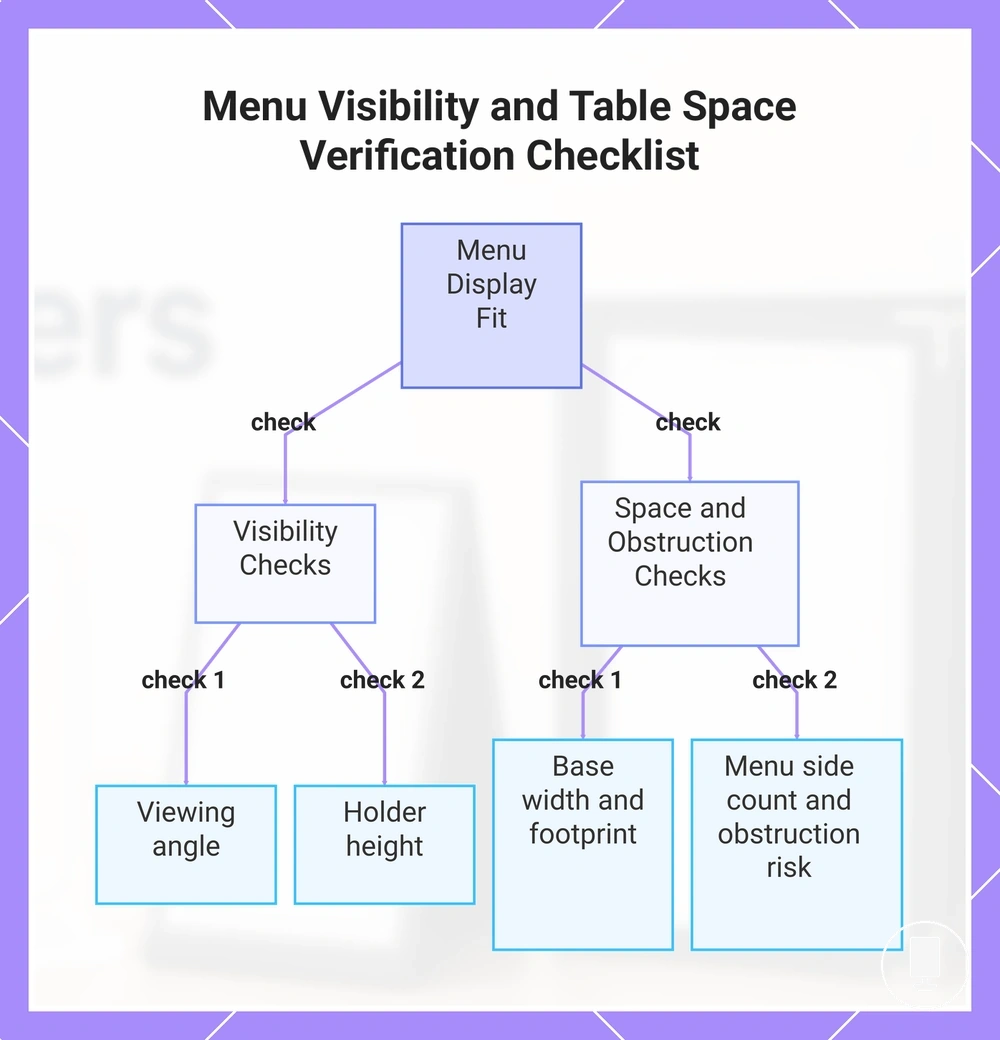
Menu visibility depends on reading distance, viewing angle, and available table space because these factors help narrow the display choice within a service-context decision. A display that maintains a suitable sightline while using an appropriate footprint is often easier to accommodate on a table. Holder height, base width, menu side count, and obstruction risk can influence whether the display remains practical for customer viewing, creating a visibility-footprint trade-off.
The checklist below helps verify whether menu visibility and table space support the intended display format.
- Viewing angle: Check whether the menu remains readable from the expected customer view and reading distance.
- Holder height: Verify that holder height supports visibility without creating unnecessary sightline interference.
- Base width and footprint: Confirm that the display fits the available tabletop space without reducing normal table use.
- Menu side count and obstruction risk: Consider whether additional visible sides or larger menu panels may increase obstruction risk depending on table size and menu dimensions.
This chart shows the key checks to verify whether menu visibility and table space support the intended display format.
Menu Change Frequency and Insert Access
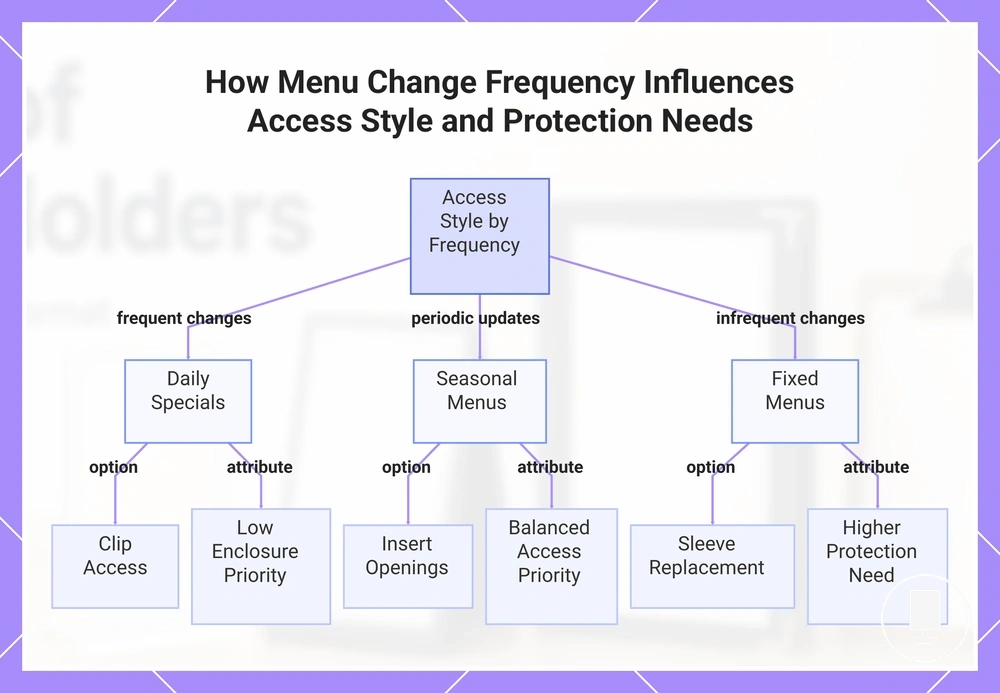
Menu change frequency affects which access style is usually more suitable because insert access, enclosure level, and replacement effort vary with how often menu changes occur. Daily specials often benefit from more direct clip access, while seasonal menus and fixed menus may allow insert openings or sleeve replacement that place greater emphasis on enclosure. The decision depends on an access-versus-protection trade-off.
The checklist below verifies how menu change frequency influences access style, replacement effort, and protection needs.
- Daily specials: Frequent menu changes may favor clip access when lightweight cards need regular updates and enclosure is a lower priority.
- Seasonal menus: Insert openings may be suitable when updates occur periodically and balanced insert access remains important.
- Fixed menus: Sleeve replacement and a higher enclosure level may fit when menu content changes less often and protection becomes a larger consideration.
- Replacement effort: Effort and ease depend on holder design, insert access, and staff workflow rather than on menu change frequency alone.
This chart shows how menu change frequency (frequent, periodic, infrequent) determines the recommended access style and the trade-off between access and enclosure protection.
Handling Level and Menu Protection
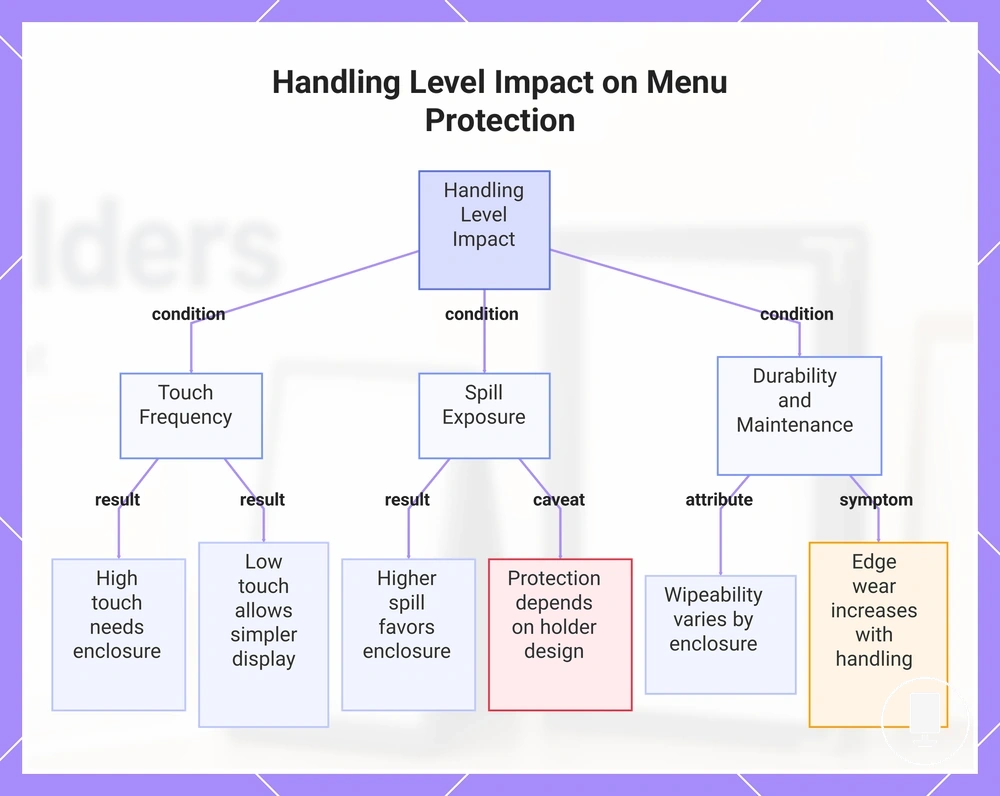
Handling level affects menu protection because customer handling, staff handling, touch frequency, and exposure risk influence how much enclosure, stability, and edge coverage may be needed. Higher-touch environments often create a greater protective need, while lower-touch conditions may allow a simpler display format. Menu protection depends on the handling-protection condition rather than on holder type alone.
The checklist below verifies how handling level and exposure conditions influence menu protection needs.
- Touch frequency: Frequent customer handling may increase the need for enclosure or edge coverage to help reduce handling risk.
- Spill exposure: Higher spill exposure may favor display formats with more enclosure, although protection depends on holder design and use conditions.
- Wipeability: Wipeability can vary by holder construction and enclosure level, so suitability depends on the display environment.
- Edge wear and stability: Repeated handling may increase edge wear, while stability becomes more important when menus are moved, repositioned, or handled regularly.
When handling level and exposure risk are primary selection criteria, the materials used for menu holders may influence how enclosure, wipeability, and stability are evaluated alongside holder type.
This chart illustrates the key conditions that link handling level to menu protection requirements.
Where Type Selection Connects to Material, Size, and Placement Choices
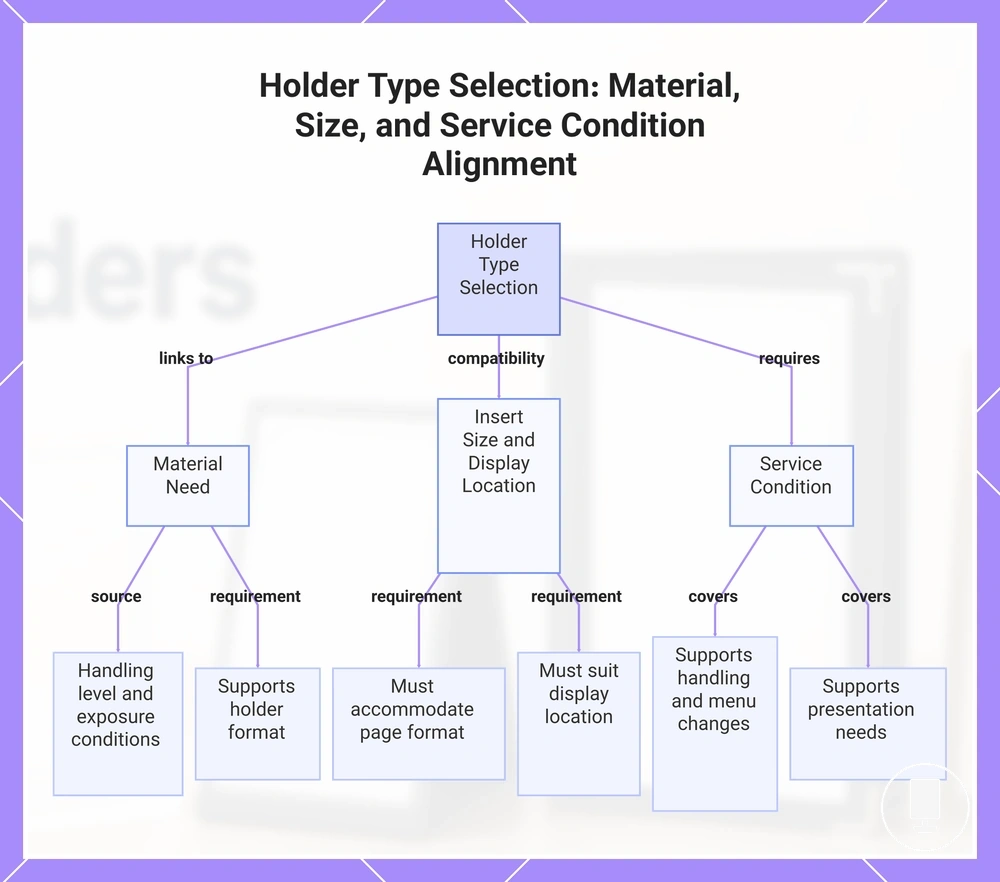
Type selection depends on keeping format, material need, insert size, display location, and service condition aligned rather than evaluating each choice separately. A holder type may appear suitable on its own, but final suitability depends on how these related choices support the intended use. This page focuses on that compatibility boundary rather than reopening full material, size, placement, or product discussions.
Type selection connects to material need because handling level, enclosure requirements, and exposure conditions can influence which material characteristics are more appropriate. Material need should support the holder format rather than drive the decision independently, since suitability depends on how the holder type is expected to be used.
Insert size and display location also affect selection fit. A holder type should accommodate the intended page format while remaining suitable for the display location, whether the menu is viewed on a table, counter, or another display point. Insert size, page format, and display location work together as compatibility conditions rather than separate decisions.
Type selection reaches final suitability only when holder format, material need, insert size, display location, and service condition remain aligned. The compatibility checklist below summarizes the decision bridge without replacing the dedicated discussions for those related choices.
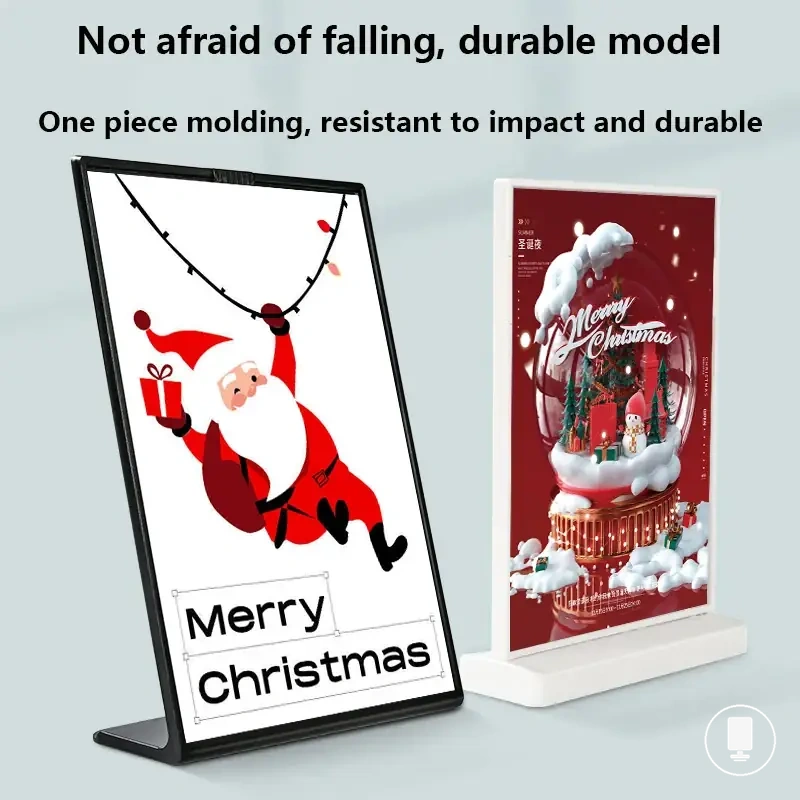
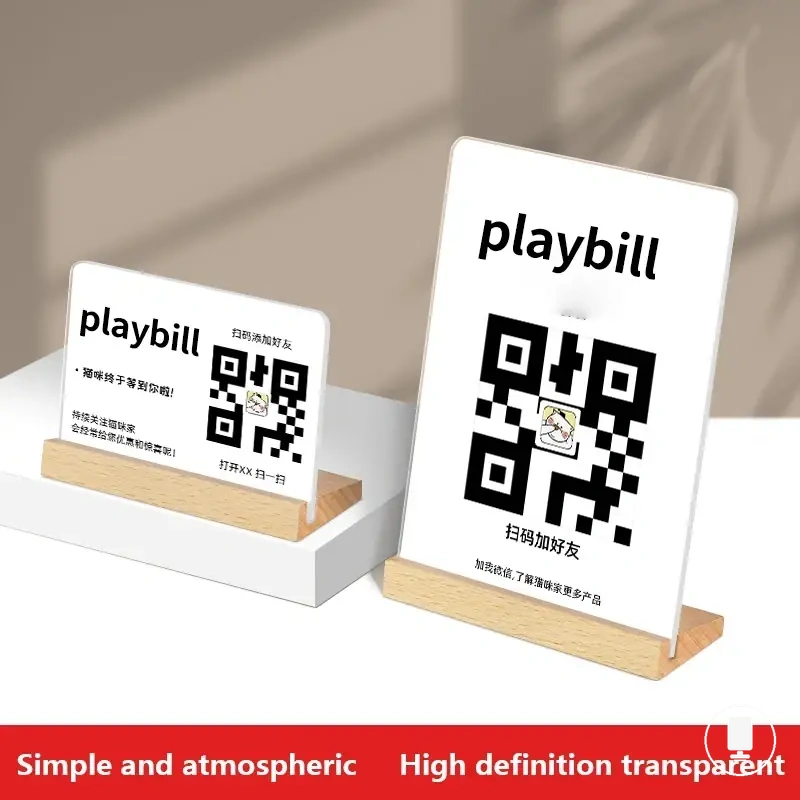
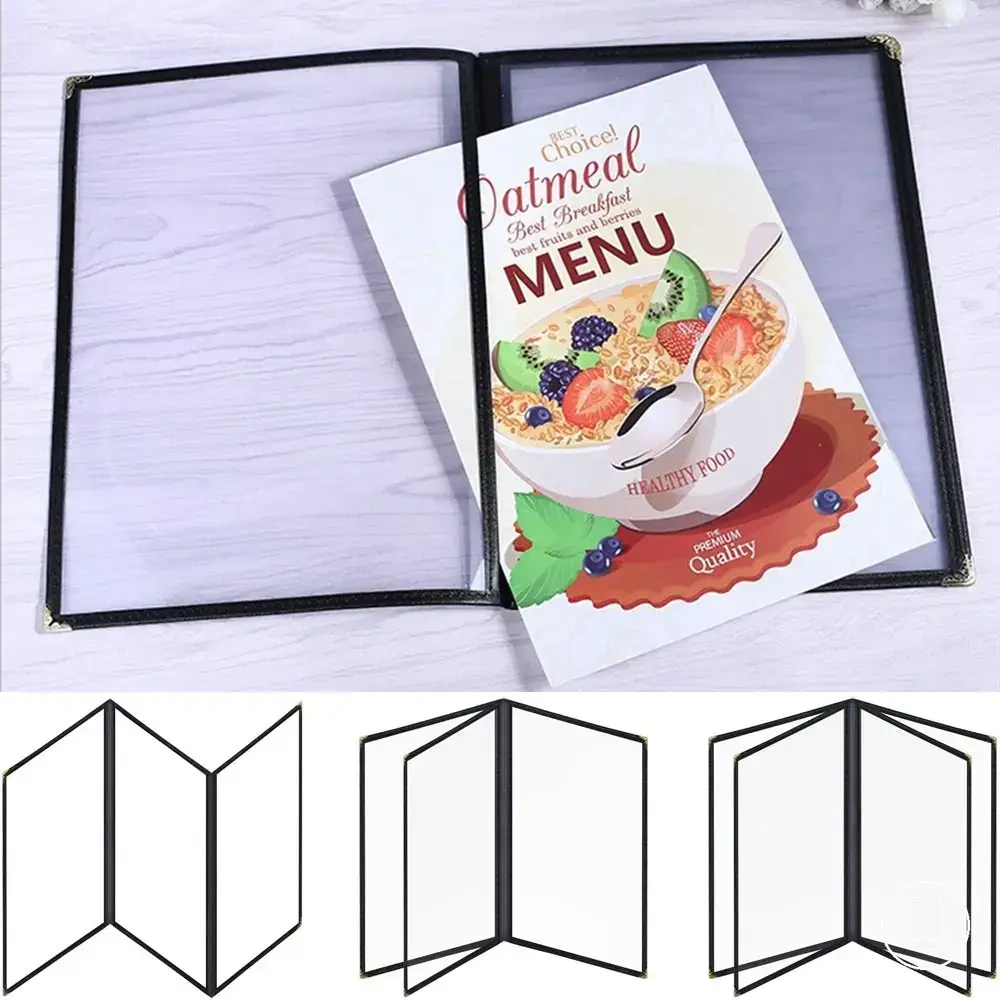
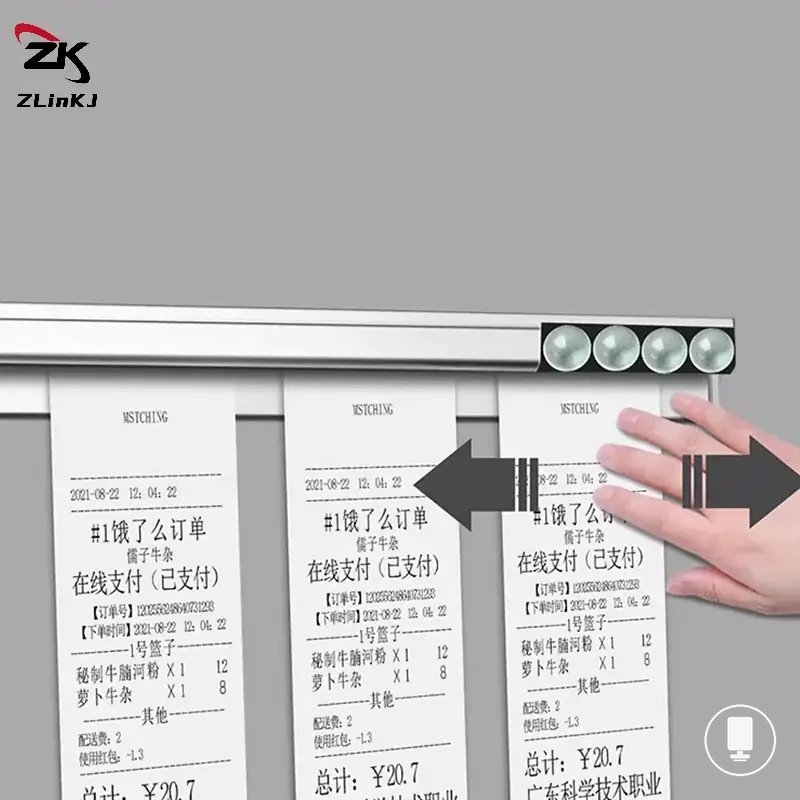
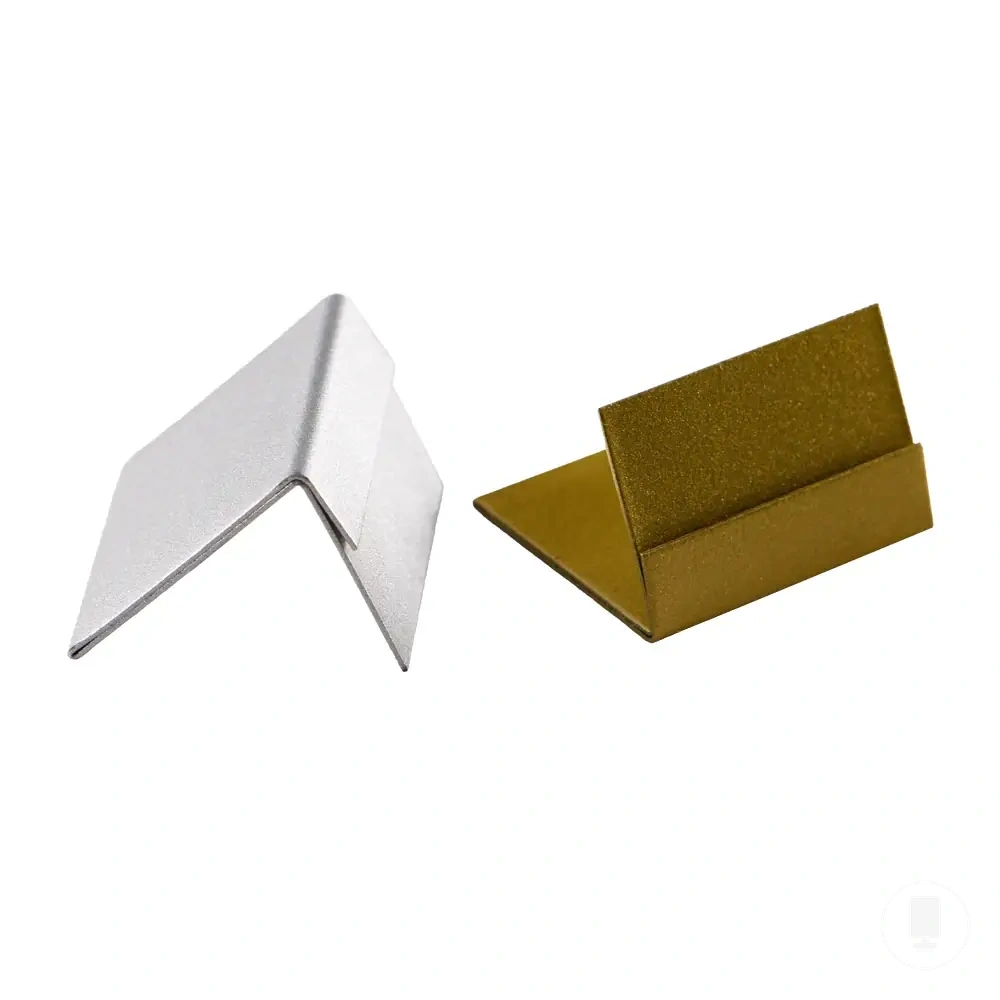
Here are product examples that may make comparison easier. Before buying, always review the compatibility criteria, essential features, and product details.
- Holder type should support the material need created by handling level and exposure conditions.
- Insert size should remain compatible with the intended page format and holder format.
- Display location should match the visibility and access characteristics of the holder type.
- Service condition should support the expected handling, menu changes, and presentation needs.
- Final suitability depends on the combined fit of format, material, size, placement, and service condition.
This chart shows how holder type selection depends on alignment with material need, insert size and display location, and service condition.