Menu Holder Replacement Checklist for Damage and Wear
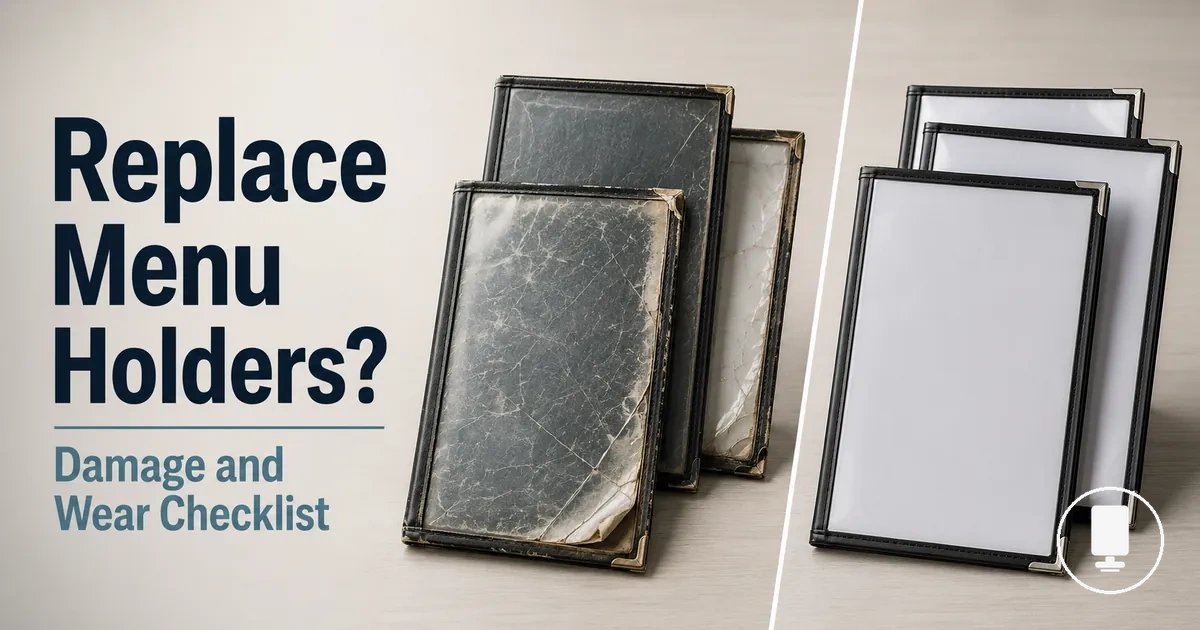
Menu holders should be replaced when damage, wear, or poor readability starts to weaken how the menu looks, stands, or feels in a guest-facing setting. Light marks may not justify replacement, but scratches, clouding, stains, weak bases, or damaged inserts can make continued use less sensible when they affect visibility, stability, hygiene perception, or table display quality.
In busy restaurant service, worn holders can move from acceptable wear to presentation risk when repeated handling, cleaning frequency, and service conditions expose the same problems again. Damaged holders may still hold a menu, but visible wear can reduce guest-facing quality, insert damage can affect readability, and wobble can create service disruption. The replacement decision should separate normal wear, physical damage, and presentation risk before treating every mark as a reason to replace.
If cleaning restores a clear display and the holder stays stable, maintenance may still be enough. If scratches, clouding, stains, loose sleeves, cracked frames, or a weak base remain after reasonable care, replacement signs become stronger. The next step is to decide whether the issue belongs to the insert, sleeve, frame, base, or full menu holder.
Replacement timing depends on material quality, handling, cleaning routine, and service conditions rather than a fixed schedule. A holder used lightly may remain presentable longer, while a high-touch table display may show damage, wear, readability loss, or hygiene concerns sooner.
What Replacement Means for Menu Holders and Inserts
Menu holder replacement means deciding whether menu holders need a full replacement or whether only the inserts, sleeves, or page material need to be changed. The scope depends on which part has failed, so a damaged insert can point to insert replacement while a cracked frame, weak base, or cloudy display surface may point to full replacement.
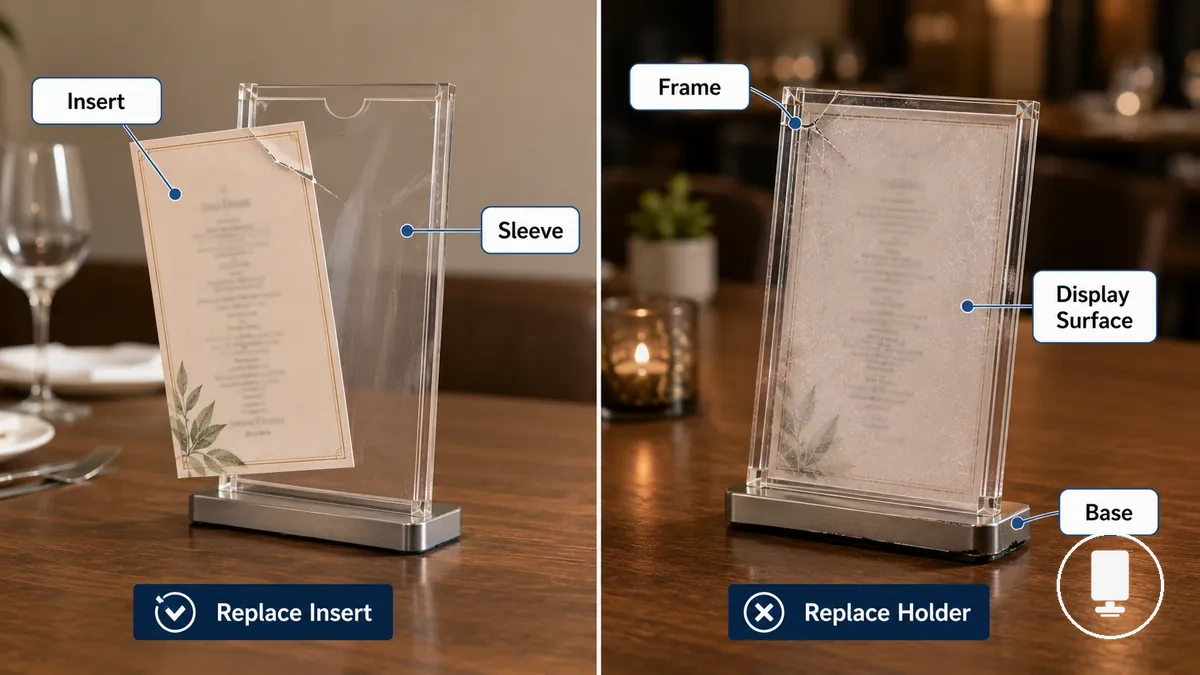
In a restaurant table display, replacement scope often starts with the visible problem. Torn sleeves, loose inserts, or marked page material may affect readability without making the holder body unusable. A cracked frame, unstable base, or cloudy clear panel can affect visibility, stability, and guest-facing presentation, so the replacement decision should follow the failed part.
The contrast below keeps the decision boundary narrow: choose the smallest replacement level that restores clear display, stable handling, and acceptable presentation without assuming every damaged component requires a full holder change.
| Option | When it fits | What to check | Replacement decision |
|---|---|---|---|
| Insert replacement | The insert, sleeve, or page material is torn, loose, stained, or hard to read while the holder body remains usable. | Check insert fit, sleeve condition, page alignment, and readability. | Replace the insert or sleeve when the frame, base, and display surface still support clear presentation. |
| Full replacement | The frame is cracked, the base is unstable, the display surface is cloudy, or the holder no longer presents the menu clearly. | Check frames, bases, clear panels, wobble, and guest-facing visibility. | Replace the full holder when the damaged part affects stability, visibility, or the overall display condition. |
Damage and Wear Signs That Justify Replacement
Damage and wear signs justify replacement when menu holder condition begins to affect appearance, readability, stability, hygiene perception, or service reliability. Minor marks may remain acceptable, but visible wear that reduces menu presentation or creates handling problems can become a reasonable replacement cue. Damage and Wear Signs That Justify Replacement should be judged by guest-facing impact and operational effect rather than by a fixed replacement timing.
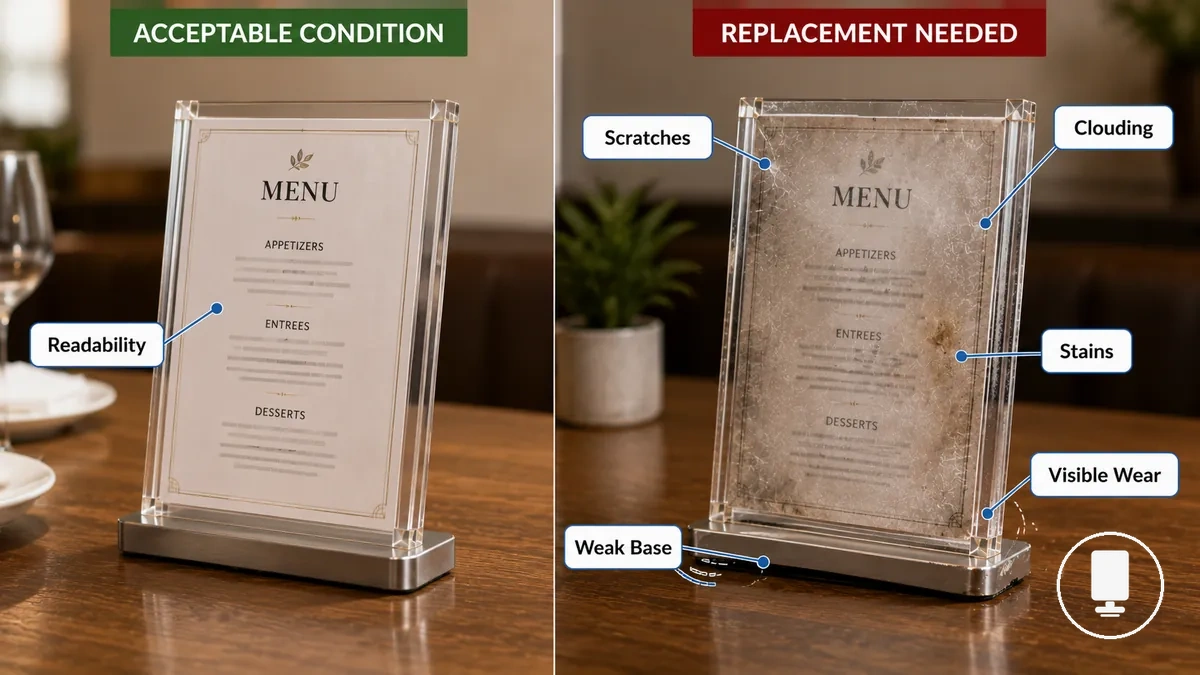
Damage and Wear Signs That Justify Replacement become easier to evaluate when condition is reviewed through appearance, readability, stability, and hygiene impact. The mini-checklist below helps separate acceptable wear from wear that can harm menu presentation or service reliability.
- Surface damage: Scratches, clouding, or other visible damage may justify replacement when visibility and readability become noticeably reduced.
- Insert damage: Torn, stained, faded, or difficult-to-read inserts can weaken menu presentation when replacement no longer restores clear readability.
- Frame weakness: Damaged holders with cracked or weakened frames may lose structural support and become less reliable during normal handling.
- Unstable bases: A weak base or wobble can reduce stability, disrupt table display, and contribute to service disruption in active service conditions.
- Stains and hygiene concerns: Persistent stains or visible wear may affect hygiene perception and guest-facing quality even when the holder remains functional.
- Repeated handling wear: Wear concentrated around edges, corners, sleeves, or display areas can accumulate over time and become a replacement sign when presentation quality declines.
Material quality, cleaning frequency, handling patterns, and service conditions all influence replacement timing. When damage, wear, readability loss, stability concerns, or hygiene issues begin to outweigh acceptable presentation standards, replacement may become the more reasonable decision.
Scratches, Clouding, Stains, and Surface Damage
Scratches, clouding, stains, and surface wear matter when they reduce visibility, affect readability, or make menu holders appear unclean despite proper maintenance. Light scuffs may remain acceptable, but a scratched clear panel, cloudy panels, embedded stains, or noticeable surface damage can change the replacement decision when guest-facing quality is affected. The visible condition that most often changes the replacement decision is damage that remains noticeable after cleaning or interferes with menu visibility.
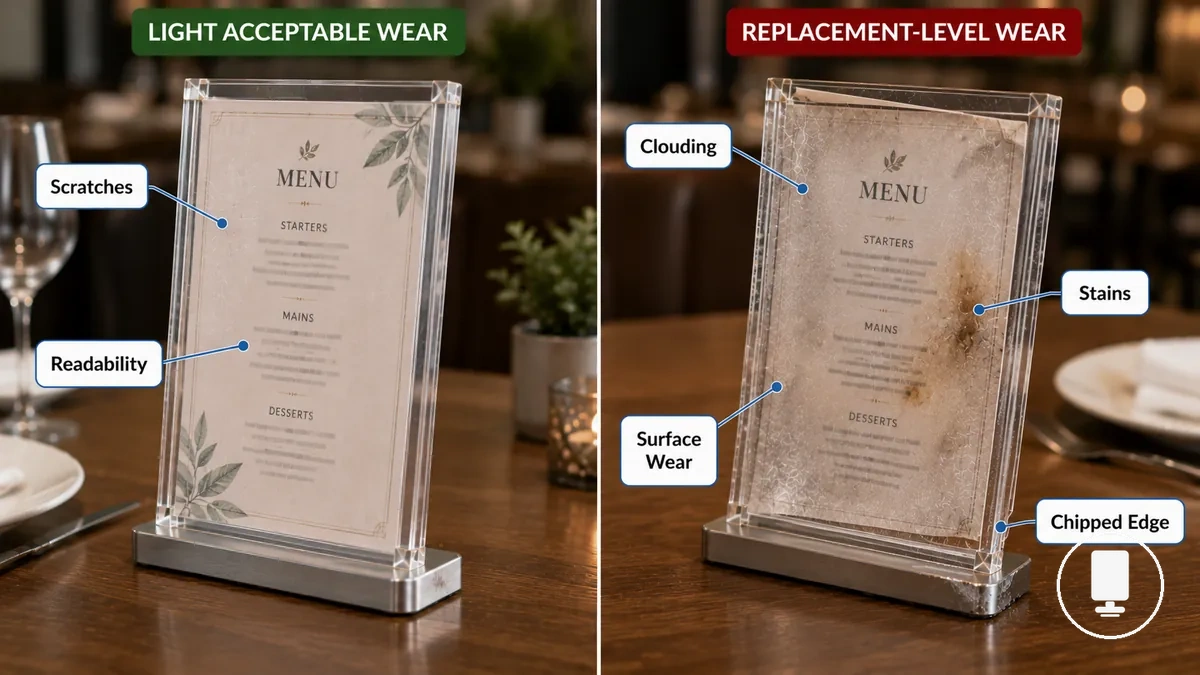
Scratches, clouding, stains, and surface damage can be evaluated through the visible conditions below.
- Scratches: Surface scratches on a clear panel may reduce menu visibility when they become noticeable during normal viewing.
- Clouding: Cloudy panels can make printed content harder to read and may weaken guest-facing presentation quality.
- Stains: Embedded stains that remain after cleaning can affect hygiene perception and overall condition.
- Chipped edges: Damaged corners or edges may create a worn appearance that is more visible in guest-facing settings.
- Insert sleeve wear: Worn sleeves, marked surfaces, or corner damage can contribute to slipping pages and reduced readability.
Torn Sleeves, Loose Corners, and Insert Visibility Problems
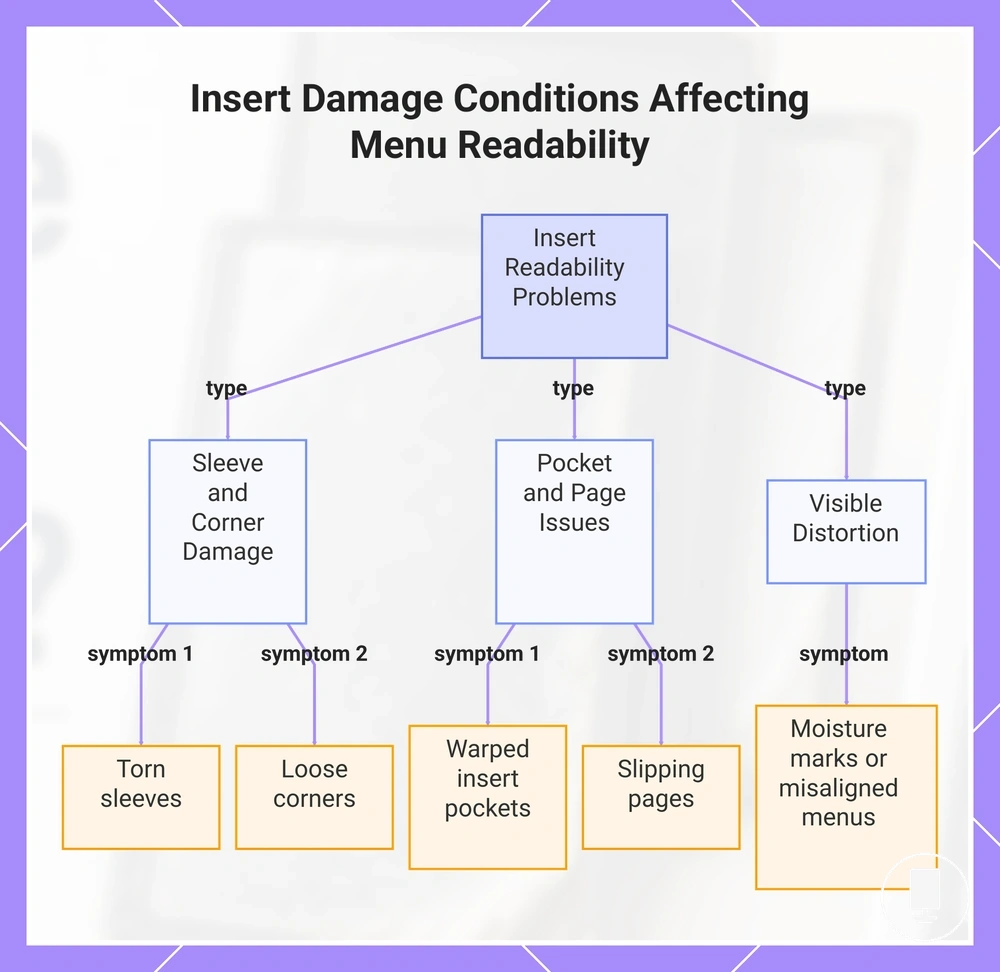
Torn sleeves, loose corners, and insert visibility problems matter when insert damage reduces readability or makes the displayed menu unsuitable to present. A damaged sleeve, warped insert pocket, or slipping page may affect visibility even when the holder body remains usable. The visible condition that most often changes the replacement decision is insert damage that interferes with page display or readability.
The insert conditions below help diagnose whether the issue is limited to the insert or may require broader replacement consideration.
- Torn sleeves: Sleeve tears can expose page edges, reduce protection, and make menu pages harder to display neatly.
- Loose corners: Damaged corners may allow pages to shift, curl, or sit unevenly inside the holder.
- Warped insert pockets: Distorted pockets can affect page alignment and reduce menu visibility.
- Slipping pages: Movement inside the insert sleeve may reduce readability and create an inconsistent presentation.
- Moisture marks or misaligned menus: Visible distortion, moisture marks, or persistent misalignment may affect readability and make the insert appear poorly maintained.
This chart shows the main types of insert damage that affect page display and readability, helping diagnose whether the issue is limited to the insert or may require broader replacement.
Bent Frames, Weak Bases, and Unstable Table Displays
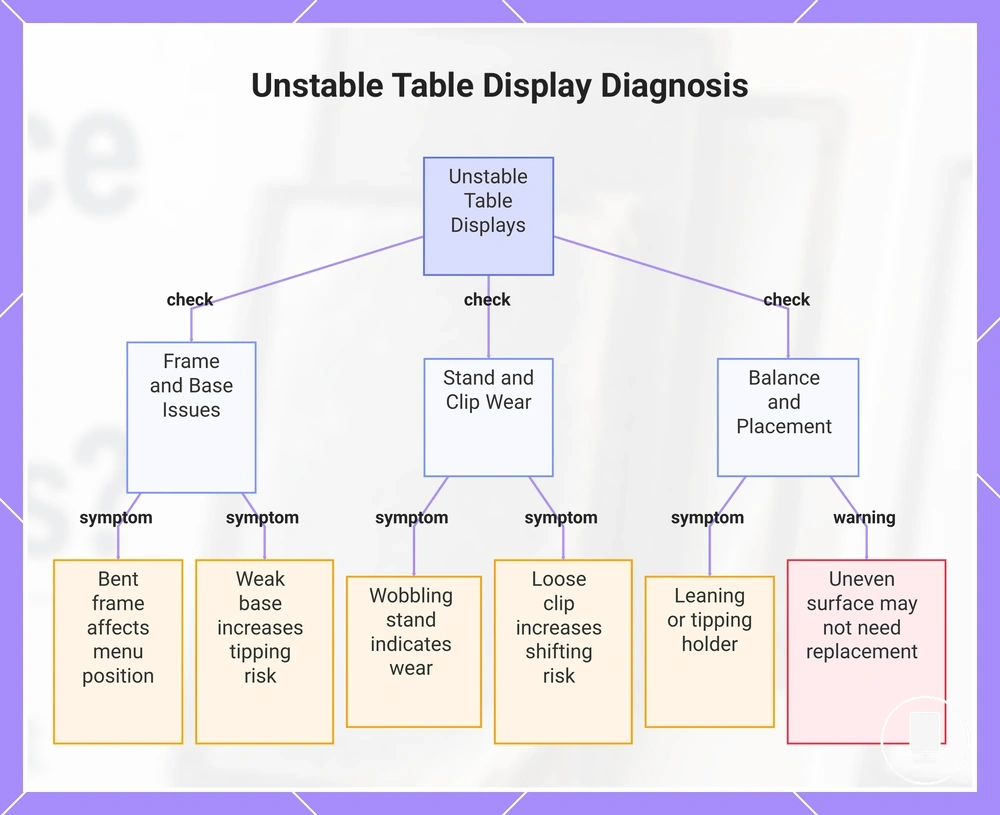
When a wobbling stand, bent frame, or weak base creates an unstable display, worn holder parts may be contributing to the problem rather than placement alone. A loose clip can also affect menu position, reduce readability, and lead to repeated service disruption during normal handling. Observable instability that persists after simple repositioning is often the condition that strengthens replacement judgment.
These unstable table display checks help diagnose whether a damaged component may be affecting stability or presentation.
- Bent frame: A bent frame may affect menu position, visibility, and consistent presentation.
- Weak base: A weak base can create wobble and increase tipping risk on an otherwise stable table display.
- Wobbling stand: Repeated movement during normal handling may indicate wear within the stand structure.
- Loose clip: A loose clip can affect menu position and increase the risk of shifting during use.
- Balance issues: An unstable holder that leans or tips easily may no longer support reliable display conditions.
If instability appears mainly on uneven surfaces or crowded table layouts, replacement may not be necessary. For broader diagnostic differences between worn holder parts and placement-related issues, see menu holder problems; instability caused by table layout is different from instability caused by a worn holder component.
This chart shows the main diagnostic checks for unstable table displays, including frame and base issues, stand and clip wear, and balance factors.
Insert-Only Replacement vs Full Holder Replacement
Replacement level depends on which component carries the damage and whether function, presentation, or hygiene can be restored through cleaning, repair, or partial replacement. An insert-only replacement may be appropriate when insert fit, sleeve integrity, and page visibility are the primary concerns, while a full holder replacement may be more appropriate when the holder body shows structural deterioration. The decision rule is to replace the smallest component that restores acceptable condition and presentation.
When damage is limited to the insert, sleeve, or page area, a partial replacement or minor repair may restore visibility and presentation without replacing the entire holder. When cracks, clouding, material degradation, or base instability affect the holder body, a new insert may not solve the underlying condition. Cleaning removable stains or maintaining a stable holder can sometimes delay replacement when visibility, presentation, and hygiene remain acceptable.
The comparison below helps separate insert-only replacement from full holder replacement.
| Option | When it fits | What to check | Replacement decision |
|---|---|---|---|
| Insert-only | Damage is limited to the insert, sleeve, or displayed pages. | Insert fit, sleeve integrity, page visibility, and readability. | Consider partial replacement when the holder frame and base remain in acceptable condition. |
| Full holder | Damage affects the holder body, frame, base, or display surface. | Cracks, clouding, material degradation, stability, and overall condition. | Consider full replacement when holder-body damage continues to affect presentation, hygiene, or stability. |
When Cleaning or Minor Repair Is Still Enough
Cleaning or minor repair is still enough when the menu holder remains clear, stable, and hygienic after maintenance. Replacement can often be delayed when the issue is limited to removable stains, light dust, small smudges, loose but fixable inserts, or minor alignment problems. The decision rule is to replace only when cleaning, repair, or insert-only correction no longer restores acceptable condition and presentation.
A clean result matters more than the maintenance action itself. If a holder can be cleaned without leaving persistent clouding, visible stains, cracked surfaces, or instability, continued use may remain reasonable. Use material-safe methods to maintain menu holders so that cleaning does not worsen the surface, sleeve, insert fit, or holder body condition.
The checklist below separates maintenance-ready conditions from damage that may move the decision back toward replacement.
| Option | When it fits | What to check | Replacement decision |
|---|---|---|---|
| Clean | Light dust, small smudges, or removable stains affect the display. | Surface clarity, hygiene appearance, and whether marks remain after cleaning. | Delay replacement when the holder looks clear, clean, and presentable after maintenance. |
| Repair | A loose insert, slight sleeve issue, or minor alignment problem affects presentation. | Insert fit, page position, sleeve integrity, and stable handling. | Use minor repair when the holder body remains stable and the menu stays readable. |
| Replace | Clouding, cracks, unstable bases, or persistent stains remain after maintenance. | Visibility, stability, hygiene perception, and full holder condition. | Consider replacement when maintenance cannot restore clear presentation or reliable display. |
Replacement Timing by Material Quality and Service Conditions
Replacement timing depends on material quality, handling intensity, cleaning exposure, and service conditions rather than a fixed calendar rule. The same menu holder may develop damage, wear, readability issues, or stability concerns at different rates depending on how often it is handled and where it is used. Replacement signs become more important when visible wear begins to affect guest-facing quality, hygiene perception, or table display performance.
Material quality influences how quickly wear becomes noticeable, while service conditions influence how often damage develops. Acrylic surfaces may show scratches or clouding that affect visibility, while wood, metal, and leather-look surfaces may respond differently to repeated handling, cleaning exposure, and environmental conditions. Compared with some durable menu holder materials, surfaces with lower resistance to daily use may show replacement cues sooner when cleaning frequency is high or when moisture exposure and frequent contact increase wear.
The table below organizes how material quality and service conditions can influence replacement timing without relying on a fixed interval. It helps connect condition changes to replacement decisions through visibility, hygiene, and stability risks.
| Condition | Effect | What to monitor | Replacement cue |
|---|---|---|---|
| High-touch table use | Repeated handling can increase visible wear. | Readability, surface condition, and guest-facing visibility. | Damage or wear begins to affect menu presentation. |
| Frequent cleaning exposure | Surfaces may develop clouding or finish wear over time. | Visibility, hygiene appearance, and material condition. | Cleaning no longer restores a clear display. |
| Moisture or outdoor exposure | Environmental conditions can increase wear and stability concerns. | Stains, hygiene perception, wobble, and overall condition. | Service conditions create persistent deterioration after maintenance. |
| Higher material durability | Wear may remain less noticeable under similar use conditions. | Replacement signs, stability, and readability. | Condition affects visibility, hygiene, or stability despite maintenance. |
Replacement Value and Durability Factors
Replacement value depends on whether a new holder provides better durability, lower cleaning burden, improved presentation, and more reliable use than repeated small fixes. A replacement may offer stronger long-term value when damaged holders continue to require attention without restoring readability, hygiene, or consistent appearance. The value decision should compare replacement cost, condition, effort, and service reliability rather than cost alone.
Replacement Value and Durability Factors are easier to evaluate when the same criteria are reviewed across the full holder set. The table below organizes key menu holder value factors through condition-based decision logic rather than simple cost comparison.
| Factor | Condition to check | Replacement value signal | Caution |
|---|---|---|---|
| Durability | Repeated damage, wear, or declining service life. | A durable holder may reduce recurring replacement attention. | Value depends on handling intensity and service conditions. |
| Appearance recovery | Visible wear remains after cleaning or minor repair. | Replacement may improve guest-facing presentation. | Minor marks alone may not justify replacement. |
| Cleaning burden | Frequent cleaning is needed to maintain appearance. | Replacement may reduce ongoing maintenance effort. | Cleaning results vary by holder condition. |
| Quantity | Multiple worn holders appear across restaurant tables. | A replacement set may improve consistency. | Replacing only a few units can create visual mismatch. |
| Set consistency | Mixed holder conditions affect presentation. | Matching holders can improve uniform appearance. | Partial updates may leave noticeable differences. |
| Insert compatibility | Insert format and holder fit remain difficult to maintain. | A replacement holder may better support insert compatibility. | Fit depends on insert format and holder design. |
Durability and cleaning burden often influence long-term value together. When a durable holder remains presentable with less maintenance effort, replacement value may become stronger than repeated patching, cleaning, or short-term fixes that do not improve condition for long.
Set consistency and insert compatibility affect operational value as well as appearance. When quantity requirements increase and multiple holders show different levels of wear, a replacement set may support a more uniform display while reducing issues related to insert fit, format differences, or mismatched holder condition.
A replacement decision may be more practical when visible improvement, durability, reduced cleaning burden, and consistent presentation outweigh the benefits of continued small fixes. Long-term value depends on existing holder condition, quantity requirements, and whether replacement improves reliability across everyday service use.
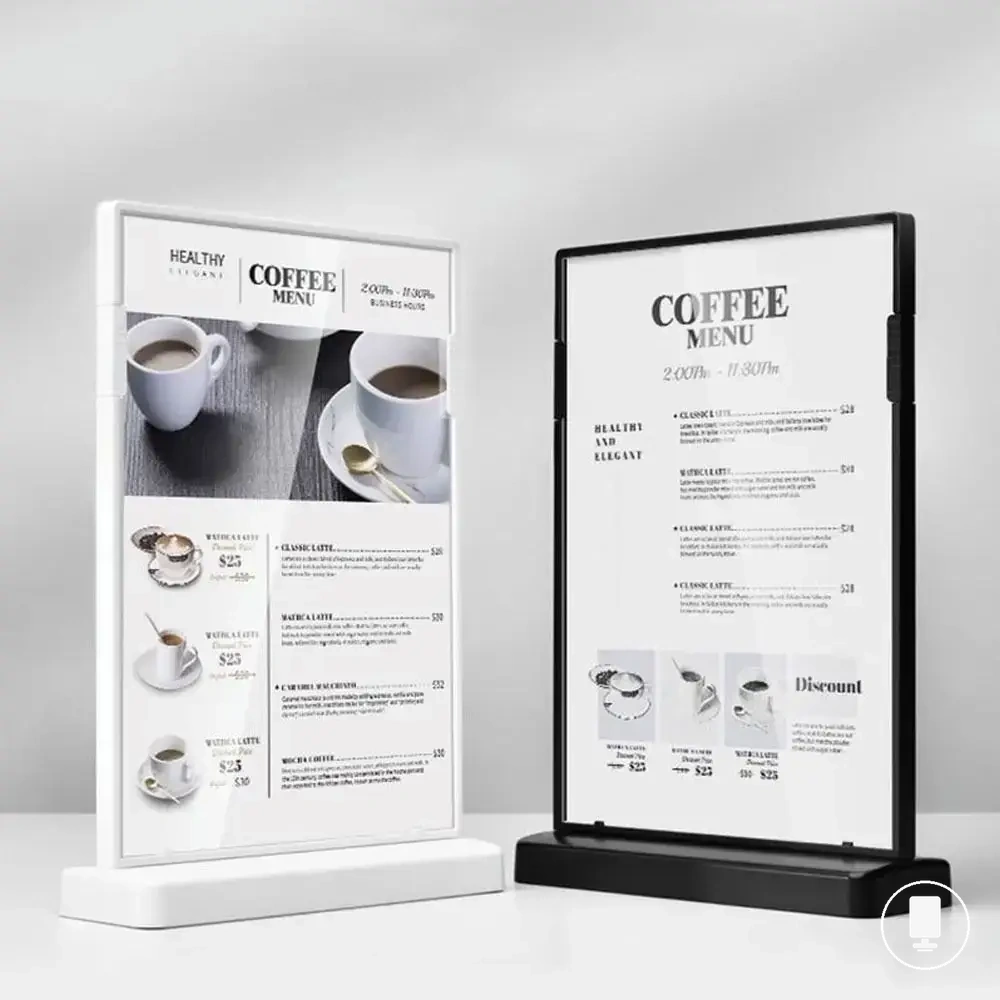
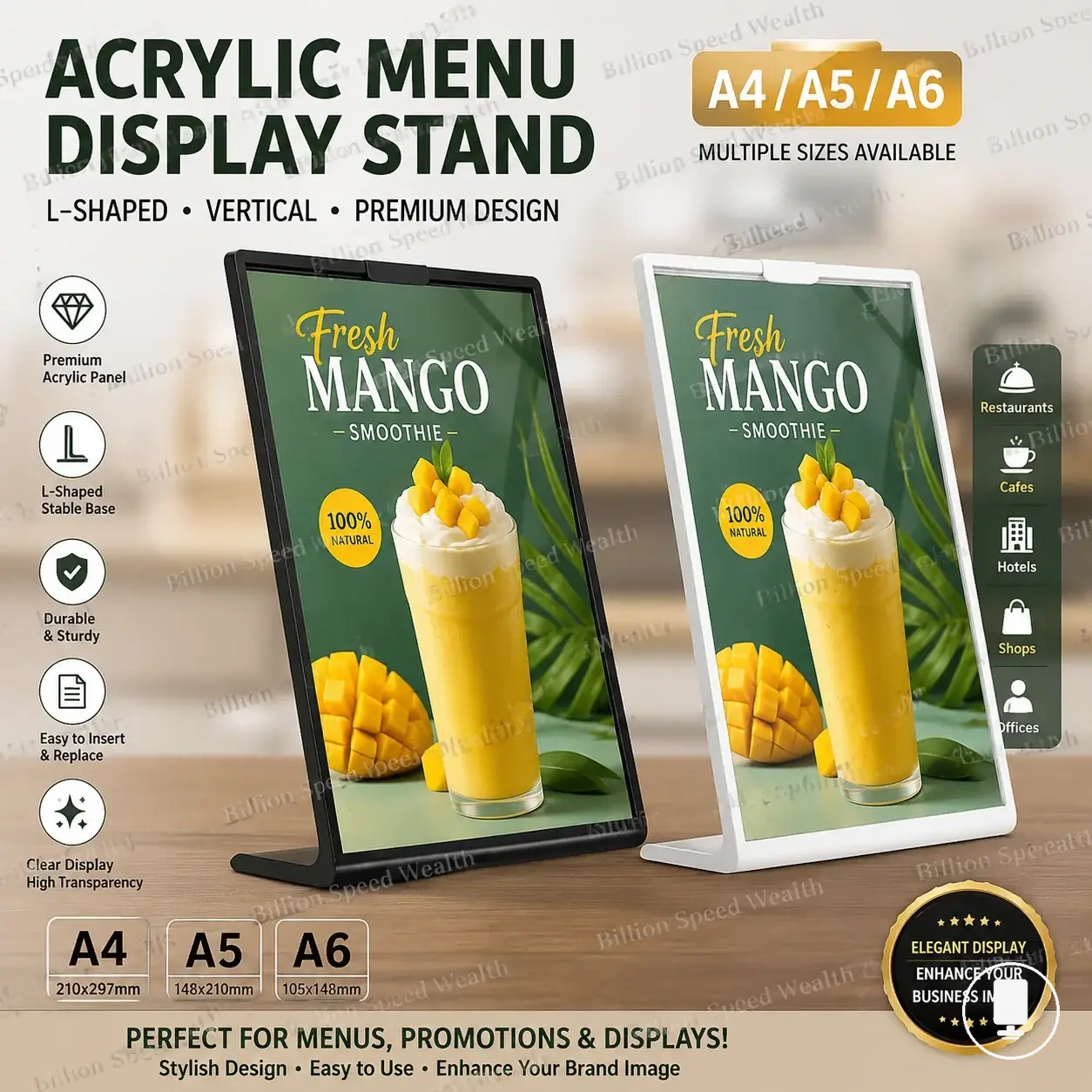
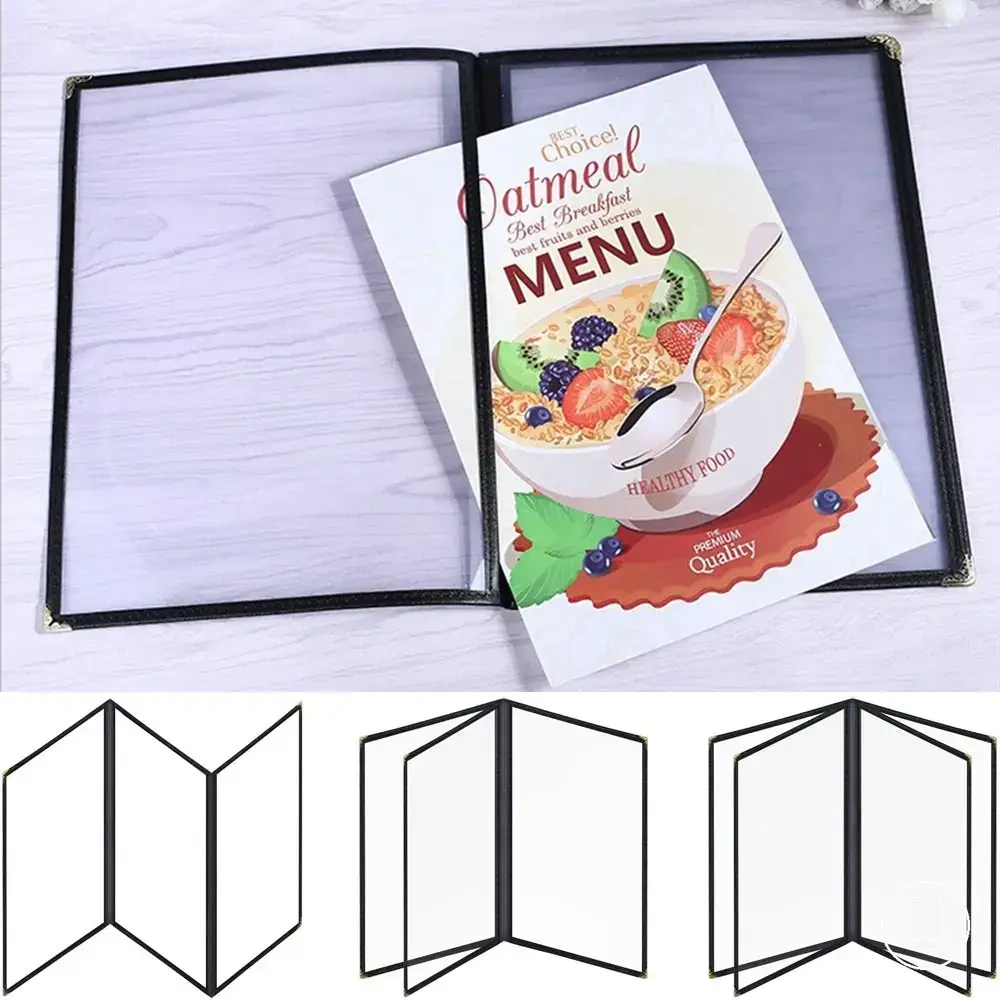
The products below are useful examples for comparing available options. Before buying, check that the compatibility criteria, key features, and product details match your needs.


Scratch Resistance, Water Resistance, and Daily Handling
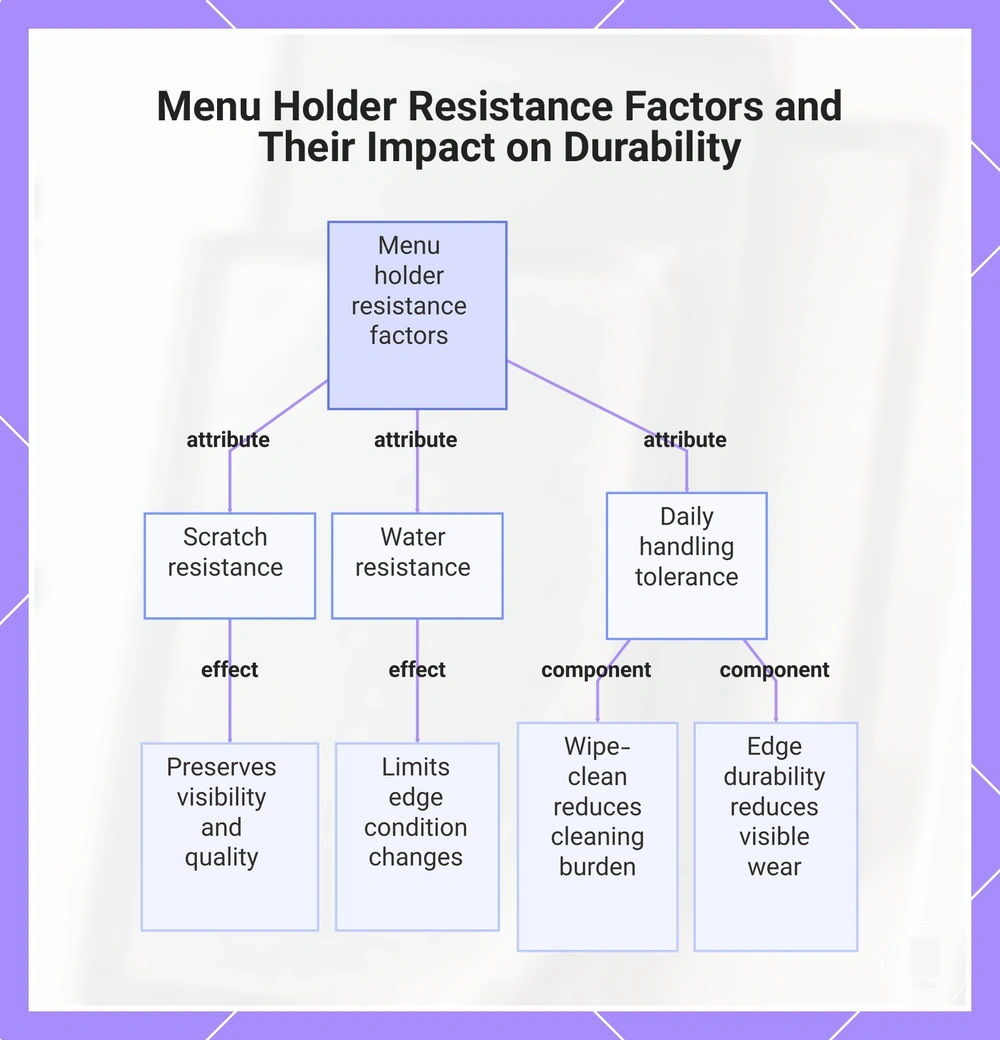
Scratch resistance, water resistance, and daily handling tolerance can influence how long a menu holder remains presentable before replacement becomes necessary. Material quality affects whether scratches reduce visibility, whether moisture affects edge condition, and whether repeated handling increases cleaning burden. Stronger resistance attributes may support better replacement durability when service conditions involve frequent contact, cleaning, or spill exposure.
These resistance factors help verify how surface condition may affect replacement durability under daily handling.
- Scratch resistance: Surface wear may remain less noticeable when scratch resistance helps preserve visibility and presentation quality.
- Water resistance: Moisture resistance can help limit condition changes that affect edge condition and durability.
- Wipe-clean surface: A wipe-clean surface may reduce cleaning burden when marks can be removed without leaving persistent residue.
- Edge durability: Strong edge durability may reduce visible wear caused by repeated handling and insert changes.
- Daily handling: Handling tolerance depends on material quality, cleaning exposure, and service conditions rather than resistance claims alone.
This chart shows the three main resistance factors – scratch resistance, water resistance, and daily handling tolerance – and how each contributes to menu holder durability and replacement timing.
Size, Format, Insert Fit, and Page Capacity
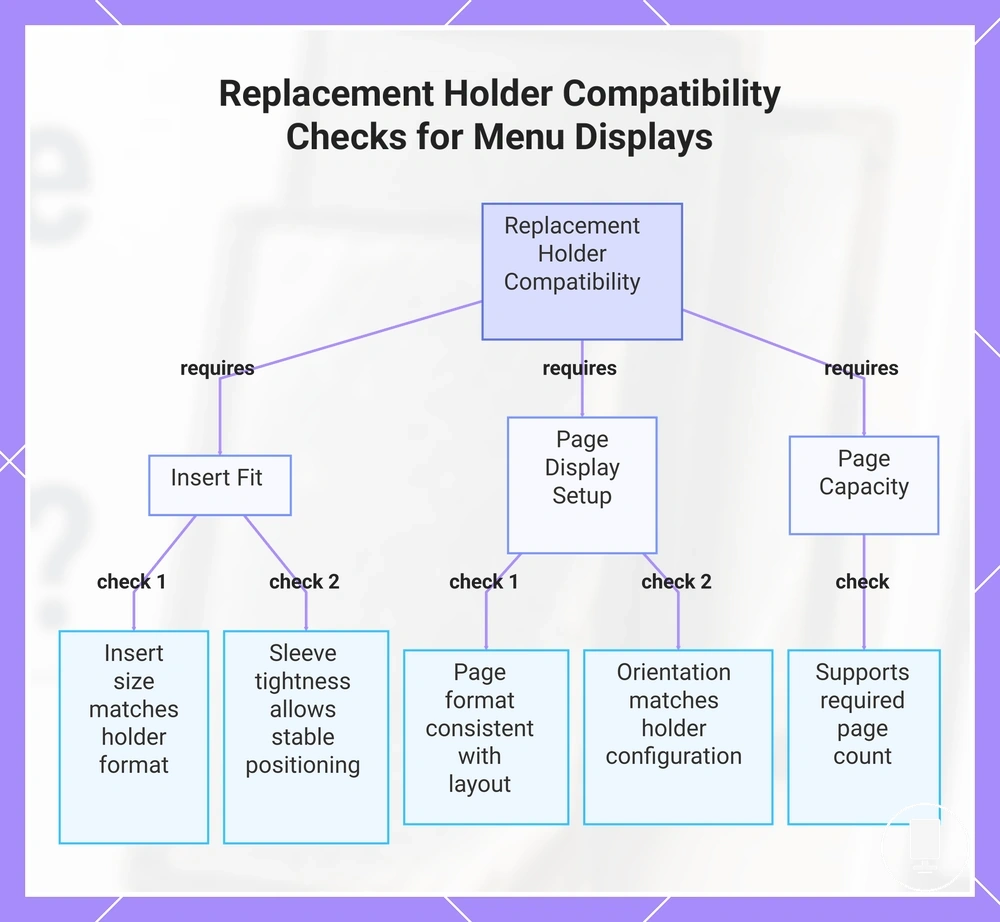
Replacement holder compatibility depends on matching insert size, page format, orientation, and page capacity to the menu being displayed. A replacement holder may appear new but still function poorly when insert fit is incorrect, sleeve tightness restricts page movement, or page capacity does not match the intended page count. Menu visibility often depends on preserving the original fit conditions rather than replacing the holder alone, making insert mismatch a practical fit risk.
These compatibility checks help verify whether a replacement holder supports usable menu display conditions.
- Insert size: Insert size should correspond to the holder format so menu visibility is not reduced by loose or restricted fit.
- Page format: Page format should remain consistent with the intended display layout and viewing arrangement.
- Orientation: Portrait format and landscape format may require different holder configurations for effective page display.
- Sleeve tightness: Sleeve tightness should allow stable page positioning without making insert changes unnecessarily difficult.
- Page capacity: Page capacity should support the required page count so usability is not reduced by overcrowded or insufficient display space.
This chart shows the main compatibility checks to verify whether a replacement holder supports usable menu display conditions.
Maintaining Consistency When Replacing Menu Holder Sets
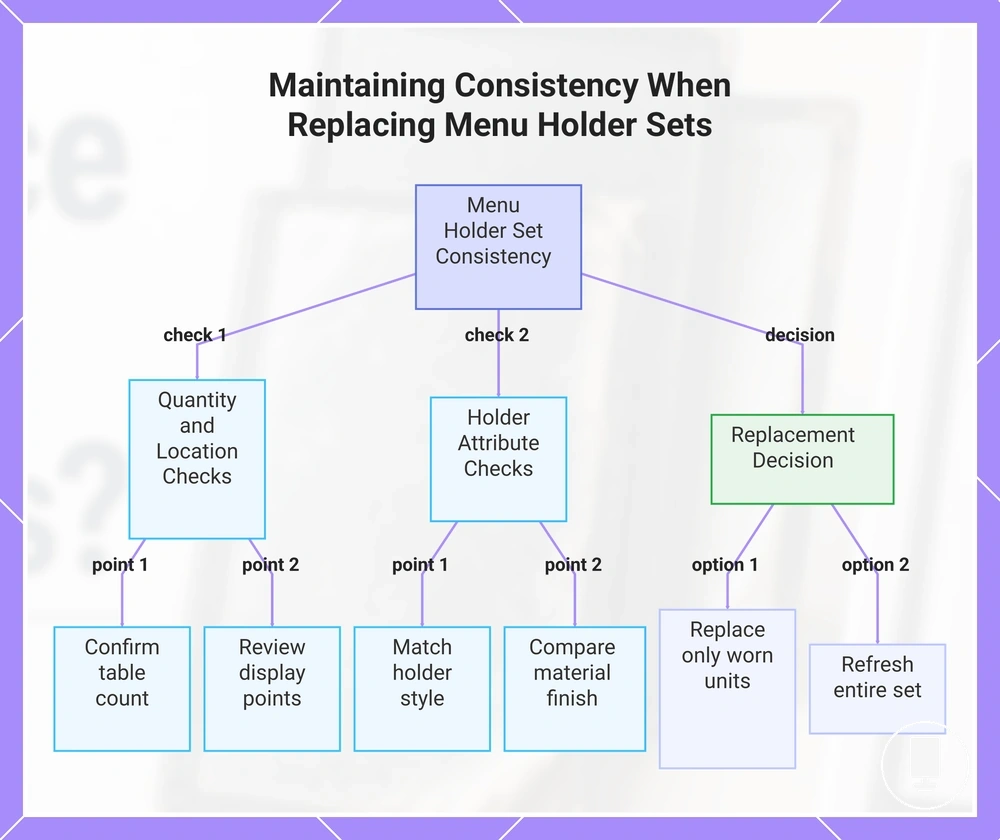
Maintaining consistency when replacing menu holder sets depends on matching quantity, format, material finish, and visible condition across all display locations. A replacement decision should consider how menu holders appear together rather than how a single holder looks in isolation. Consistency is usually easier to preserve when table count, display points, and replacement scope are evaluated as one set-planning decision.
Maintaining Consistency When Replacing Menu Holder Sets can be verified through a practical checklist before choosing a replacement set or partial update. The checks below help confirm whether replacement choices support consistent presentation across multiple display points.
- Table count: Confirm how many tables require matching holders so replacement planning reflects actual quantity needs.
- Display points: Review display points, including counters, waiting areas, and table locations where visible consistency may matter.
- Holder style: Check whether replacement holders maintain a similar holder style across the restaurant table set.
- Insert size: Verify that insert size remains consistent so menu presentation and usability are not affected by format differences.
- Material finish: Compare material finish across existing and replacement units to reduce noticeable visual variation.
- Spare units and phased replacement: Consider spare units and phased replacement plans when future replacements may be needed.
Menu holder sets should be evaluated according to table count and display points because visibility can vary by location. A partial replacement may be less noticeable when worn holders are limited to isolated display points, while broader distribution of wear can make condition differences easier to see across the full set.
Holder style, material finish, and spare units influence long-term consistency. Matching holders may help maintain a uniform appearance, while spare units can support future replacements without introducing unnecessary variation. Phased replacement may be practical when condition differences remain limited and presentation consistency can still be maintained.
Replacing only visibly worn units may be appropriate when condition differences are difficult to notice across display points. A broader set refresh may be worth considering when mismatch in holder style, material finish, insert size, or visible condition becomes obvious enough to affect presentation consistency.
The products below are useful examples for comparing available options. Before buying, check that the compatibility criteria, key features, and product details match your needs.
This chart shows the key checks and replacement decisions for maintaining consistent menu holder presentation across multiple display points.